


AI bookkeeping automates invoice capture, transaction categorization, and bank reconciliation so your finance team closes the month faster and spends far less time on data entry. For small businesses, ecommerce sellers, and lean finance teams, the practical choice is a purpose-built tool like Zenith-books that connects your email, bank accounts, and accounting software into one automated workflow. Start by testing the OCR demo with your own invoices to see accuracy in action before committing to any plan.
Table of Contents
- What does AI bookkeeping actually automate?
- How does AI bookkeeping process your financial data?
- How long does onboarding take, and how accurate is it?
- Which systems does Zenith-books connect to?
- What security and compliance should you expect?
- What ROI can you realistically expect?
- How does AI bookkeeping pricing typically work?
- How do you choose the right AI bookkeeping vendor?
- Key Takeaways
- Why automation is the only honest answer for finance teams
- Zenith-books: see the automation working before you commit
- Useful sources and further reading
What does AI bookkeeping actually automate?
Automated bookkeeping software, the industry term for what most people call “AI bookkeeping,” handles the repetitive, rule-based tasks that eat up hours every week. The core features buyers should expect from any serious platform:
- Invoice OCR and extraction: Reads invoices from email or uploaded files, pulls vendor name, date, amount, and line items without manual typing.
- Automated transaction categorization: A machine learning classifier assigns each transaction to the right account based on vendor patterns and your chart of accounts.
- Smart matching and reconciliation: Cross-references extracted invoice data against bank transactions and flags discrepancies for human review.
- Bank feed sync: Pulls live balances and transaction data directly from connected accounts. Zenith-books streams this into Google Sheets in real time via its bank-to-sheets sync, giving finance teams a live cash dashboard without manual exports.
- Email-to-Drive invoice filing: Invoices arriving by email are automatically named, organized, and stored in Google Drive, which is especially useful for ecommerce sellers managing dozens of supplier invoices weekly.
- Invoice issuing and payment QR codes: Generate and send invoices with embedded payment QR codes, reducing the back-and-forth on collections.
- Standardized accounting exports: Output data in eSlog or other structured formats your accountant or ERP can ingest directly.
Who benefits most from each feature varies. Finance teams at small businesses gain the most from reconciliation and bank sync. Founders and CEOs get the clearest value from the cash dashboard and automated close. Ecommerce sellers running high invoice volumes see the biggest time savings from email-to-Drive filing and OCR extraction.

How does AI bookkeeping process your financial data?
The data flow is straightforward once you see it laid out. Here is how a well-built system moves a document from your inbox to your ledger:
- Connect sources: Link your email inbox, bank accounts, and cloud storage. The system monitors these continuously.
- Ingest documents: Invoices and receipts are pulled from email attachments or uploaded directly. Bank transactions stream in via API or secure bank feed.
- OCR extraction: An optical character recognition model reads each document and extracts structured fields: vendor, date, amount, tax, line items.
- ML classification: A machine learning classifier maps each transaction or invoice to the correct account category based on vendor history and your chart of accounts.
- Matching and reconciliation: The system cross-references extracted invoice data against bank transactions. Confident matches are posted automatically.
- Human exception handling: Low-confidence matches, new vendors, or unusual amounts are flagged and routed to a review queue. A human approves or corrects them.
- Post-close reporting: Reconciled data flows into your accounting export, Google Sheets dashboard, or connected platform for month-end reporting.
Pro Tip: Set up your supplier mapping during onboarding, not after. Assigning vendors to categories from day one trains the classifier faster and cuts the exception queue by a significant margin in the first billing cycle.
The real productivity gain is not in the OCR step. It is in the exception queue. When your system only surfaces a small fraction of transactions that genuinely need human judgment, your bookkeeper stops being a data-entry clerk and starts being a financial analyst.
How long does onboarding take, and how accurate is it?
Realistic onboarding for a small business runs through four milestones:
- Day 1: Connect bank accounts, email inbox, and cloud storage. Authenticate API access.
- Days 2–3: Map your chart of accounts and configure category rules for your most common vendors.
- Days 4–7: Run an initial batch of historical invoices through the system to validate extraction and classification accuracy.
- Week 2: Review the exception queue, correct edge cases, and confirm the classifier is learning your patterns.
Most teams reach a stable, high-automation state within two weeks. The accuracy of the OCR step is the single biggest variable in that timeline.
Zenith-books claims 99.7% invoice OCR accuracy on its public demo. In practice, OCR accuracy depends on document quality: clean, digital PDFs score higher than scanned paper invoices with skewed alignment or faded print. Running the vendor’s demo with your own invoice samples, not their curated test set, is the only reliable way to validate that figure for your document types.

Pro Tip: Before onboarding, collect 20–30 representative invoices from your most common suppliers, including any that are handwritten, multi-page, or in a non-standard layout. Use these as your test batch. If accuracy drops on these, ask the vendor how the model handles them.
Exception handling matters as much as raw accuracy. A good system routes low-confidence extractions to a named review queue with a clear status, not a black box. Ask any vendor to show you what an exception looks like in their UI before you sign.
Which systems does Zenith-books connect to?
Compatibility is where many buyers get surprised after purchase. The integrations to verify before you commit:
- Accounting platforms: QuickBooks Online and Xero are the two most common targets. QuickBooks Online Advanced now includes agentic AI features for workflow automation, so confirm whether your vendor connects via native integration or a third-party connector.
- Bank feeds: Direct bank API connections or aggregator-based feeds (Plaid, for example). Confirm which U.S. banks are supported and whether multi-account connections are included in your plan tier.
- Google Drive and Google Sheets: Zenith-books supports both: auto-filed invoices to Drive and live bank balance sync to Sheets.
- Payment processors: If you use Stripe, Square, or PayPal, confirm whether transaction data flows in automatically or requires manual export.
| Integration type | What to verify |
|---|---|
| Accounting platform | Native API vs. connector; chart-of-accounts mapping depth |
| Bank feeds | Supported U.S. banks; number of accounts per plan |
| Cloud storage | Drive folder structure; naming convention control |
| Payment processors | Auto-sync vs. manual CSV import |
| Multi-currency | Whether USD-only or multi-currency supported |
Before your first call with any vendor, gather your account credentials, a sample of 20 invoices, and a list of the permission scopes your IT team will need to approve for API access.
What security and compliance should you expect?
For U.S. small businesses, the security baseline for any cloud-based accounting AI should include:
- Encryption in transit (TLS 1.2 or higher) and encryption at rest (AES-256 or equivalent).
- Role-based access controls so only authorized users can view or modify financial data.
- Audit logs that record who accessed or changed what, and when.
- Data retention and deletion policies you control, not just the vendor.
On the compliance side, the relevant frameworks for U.S. buyers are:
- SOC 2 Type II: Ask for the report, not just a claim. A completed audit covers security, availability, and confidentiality controls.
- Secure bank link handling: Confirm the vendor uses a regulated aggregator (Plaid, MX, or similar) rather than storing your banking credentials directly.
- PCI DSS considerations: If the platform handles payment card data at any point, ask which PCI scope applies.
- GDPR/CCPA data handling: Even for U.S. businesses, if you have customers or suppliers in California or the EU, confirm how the vendor handles personal data in documents.
A short procurement checklist: request the SOC 2 report, ask for the data processing agreement, confirm the bank aggregator name, and verify that you can export and delete your data at any time.
What ROI can you realistically expect?
Two client outcomes from Zenith-books’s customer base illustrate the range. Združenje YES eliminated manual data entry across its transactions and reduced month-end close time. BAM Chocolate achieved zero manual entry across its invoice workflow, freeing its finance team from repetitive processing.
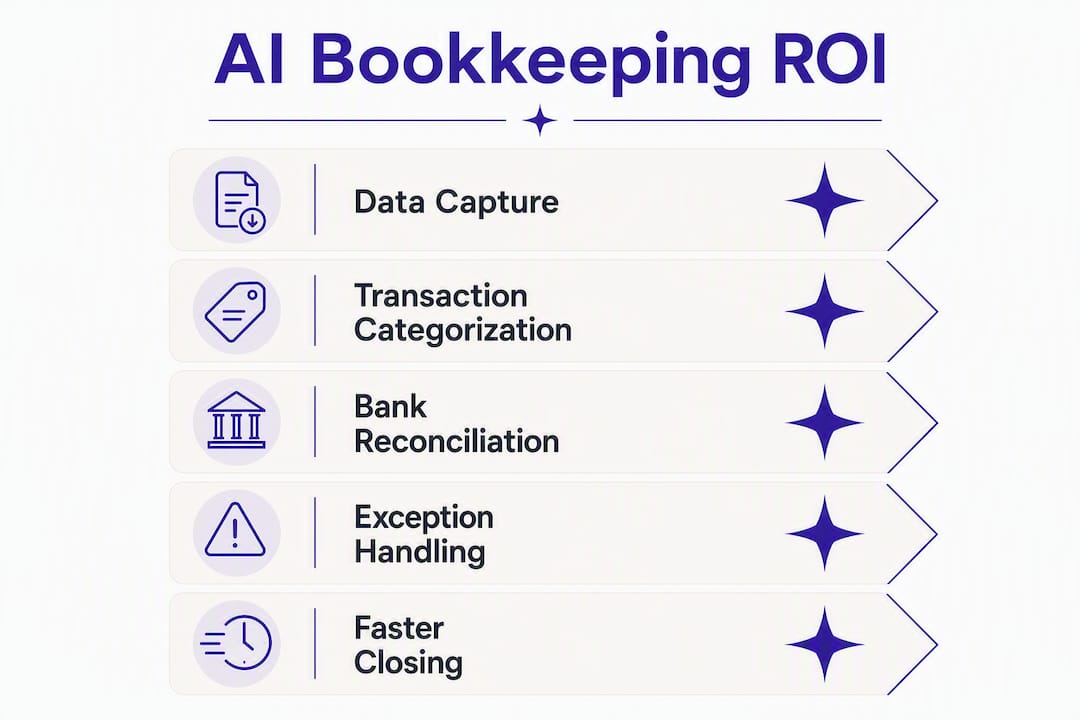
A simple ROI calculation for a small business processing a typical monthly invoice volume shows that time savings on manual tasks can exceed subscription costs with a positive net monthly benefit.
Transaction volume and team size both shift this calculation. A 500-invoice-per-month ecommerce seller saves proportionally more. A solo founder doing their own books saves time but also reduces error risk, which has its own value at tax time.
The hidden ROI is not the hours saved on data entry. It is the hours not spent correcting errors that compound over a quarter and surface during audit prep.
How does AI bookkeeping pricing typically work?
Most platforms use one of three models, and knowing which one you are buying matters for budgeting:
- Free tier: Usually limited to a small number of OCR pages or transactions per month. Useful for testing, not for production volume.
- Subscription tiers: A fixed monthly or annual fee tied to invoice volume, number of bank accounts, or number of users. Most small businesses land in a mid-tier plan.
- Pay-as-you-go: Charged per OCR page or per transaction processed. Predictable at low volume, expensive at scale.
The main cost drivers: invoice volume per month, number of connected bank accounts, number of user seats, add-on integrations (QuickBooks connector, for example, may cost extra), and SLA tier for exception resolution.
Pro Tip: Run three months of your actual invoice volume through the vendor’s pricing calculator before signing. Most businesses underestimate volume by 30–40% when they only count vendor invoices and forget receipts, expense reports, and credit card statements.
A useful rule of thumb: if the subscription cost is less than two hours of your finance team’s time per month, the plan is almost certainly cost-effective at any reasonable automation rate.
How do you choose the right AI bookkeeping vendor?
Use this checklist during demos and shortlisting:
- Ask for the automation rate on a batch of your own documents, not their benchmark set.
- Ask which U.S. banks are natively supported and how long a new bank connection takes to activate.
- Ask to see the exception queue in a live demo, not a screenshot.
- Ask for the SOC 2 Type II report and the name of the bank aggregator.
- Ask what happens to your data if you cancel: export format, deletion timeline, and any data portability fees.
Red flags to watch for:
- Accuracy claims with no demo or trial to verify them.
- No visible exception workflow (“our AI handles everything” is not an answer).
- Pricing that changes based on invoice count but no clear definition of what counts as an invoice.
- No data export option or a proprietary format you cannot open without the vendor’s software.
A quick scoring approach: weight accuracy and exception handling at 40%, integrations at 30%, security at 20%, and pricing at 10%. A vendor that scores well on accuracy but cannot connect to your bank is not a viable option regardless of price.
Key Takeaways
AI bookkeeping tools that combine OCR extraction, ML classification, and bank reconciliation deliver the fastest time-to-value for small businesses when paired with a clear onboarding plan and a vendor who can demonstrate accuracy on your own documents.
| Point | Details |
|---|---|
| Automate the full invoice cycle | OCR extraction, categorization, and reconciliation can all run without manual input when configured correctly. |
| Verify accuracy with your own files | A vendor’s benchmark OCR score means less than how it performs on your actual supplier invoices. |
| Security baseline is non-negotiable | Require SOC 2 Type II, a named bank aggregator, and full data export rights before signing. |
| ROI is measurable from month one | Labor savings typically exceed subscription cost within the first billing cycle, even for small invoice volumes. |
| Zenith-books covers the full workflow | From email-to-Drive invoice filing and 99.7% OCR to live bank-to-Sheets sync, Zenith-books handles the complete automation stack for small businesses. |
Why automation is the only honest answer for finance teams
The conventional wisdom says AI bookkeeping is about saving time. That framing undersells it and, more importantly, misses the real risk it eliminates.
Manual bookkeeping does not just cost hours. It costs accuracy at scale. A finance team processing 200 invoices a month manually will make errors, and those errors compound. A miscategorized expense in January becomes a tax problem in April. The value of automated bookkeeping workflows is not just speed. It is the removal of a whole class of compounding errors that no amount of careful human review fully prevents at volume.
Research from Stanford GSB makes the point clearly: AI handles the repetitive work so bookkeepers can focus on exceptions and judgment calls. That is the right division of labor. The mistake is treating AI as a replacement for financial judgment rather than a replacement for data entry.
The other thing most guides miss: the exception queue is where you actually see whether a system works. Any platform can claim high OCR accuracy. The question is what it does with the 0.3% it gets wrong. A well-designed exception workflow surfaces those cases immediately, routes them to the right person, and closes them fast. A poorly designed one buries them until month-end.
Zenith-books clients like Združenje YES and BAM Chocolate did not just save time. They changed what their finance function does. That is the outcome worth aiming for.
Zenith-books: see the automation working before you commit
Zero manual entry across your invoice workflow is not a promise you should take on faith. Zenith-books lets you test it directly.

Upload your own invoices to the OCR accuracy demo and see the 99.7% accuracy claim against your actual documents, not a curated test set. Then connect a bank account and watch balances stream into Google Sheets in real time. For ecommerce sellers and small business finance teams, the email-to-Drive invoice filing workflow is the fastest way to eliminate the inbox-to-spreadsheet grind that costs hours every week. Explore the full Zenith-books solutions library to see which workflows fit your current stack, then start a free trial or book a live demo to confirm the fit before you pay.
Useful sources and further reading
- AI Is Reshaping Accounting Jobs by Doing the “Boring” Stuff — Stanford GSB
- Transform How You Serve Clients with Intuit AI Agents in QuickBooks — Firm of the Future
- Test Our Invoice OCR — 99.7% Accurate | Zenith-books
- Bank to Google Sheets — Live Cash Flow Sync | Zenith-books
- Invoices from Email to Google Drive — Auto-Filed | Zenith-books
- Solutions — Zenith-books Plug-and-Play Finance Workflows
- What Is Invoice Reconciliation? A Plain-English Guide — Zenith-books Blog
- How to Automate Invoice Processing From Email — Zenith-books Blog