


For most US finance teams, Zenith is the recommended first choice: its AI-powered OCR, automatic email-to-Drive filing, and live bank-to-Sheets sync remove the three biggest manual bottlenecks in one deployment. If Zenith is not the right fit for your stack, here are the next four picks:
- Best for enterprise procurement + AP: Coupa
- Best for global mass payments: Tipalti
- Best for AP collaboration and exception handling: Stampli
- Best for SMB accounting integration: QuickBooks Online
A few numbers worth knowing before you read further: 87% of invoices sent through modern digital platforms are paid within 24 hours, which shows how much the delivery mechanism matters, not just the software. SOC 2 Type II attestation is the baseline compliance standard to require from any vendor handling your financial data. And Zenith’s publicly available OCR test page claims 99.7% extraction accuracy, a figure you can verify with your own invoice samples before signing anything.
Table of Contents
- What is the best invoice processing software right now?
- A closer look at each tool
- How do you choose the right invoice processing software?
- What does invoice processing software actually cost?
- How we selected and evaluated these products
- Key Takeaways
- What most finance teams get wrong about AP automation rollouts
- Zenith-books is built for exactly this workflow
- Useful sources and vendor pages
What is the best invoice processing software right now?
| Tool | Best for | Core features | Integrations | Deployment | Pricing model | Security | Support |
|---|---|---|---|---|---|---|---|
| Zenith | Finance teams using Google Drive/Sheets + bank reconciliation | AI OCR, email ingestion, auto-Drive filing, bank-to-Sheets sync, QR payment codes | Google Drive, Sheets, email, bank connectors | Cloud, fast go-live | Subscription tiers + pay-as-you-go; free trial | SOC 2-aligned, encrypted | Self-serve docs + support |
| Rho | Companies needing corporate banking + AP controls | AP workflows, corporate cards, payments | Banking, ERP connectors | Cloud | Custom/quote | SOC 2 | Dedicated onboarding |
| Airbase | Mid-market unified AP + spend management | Bill pay, approvals, corporate cards, spend controls | NetSuite, Sage Intacct, QuickBooks | Cloud | Subscription tiers | SOC 2 Type II | Implementation team |
| Stampli | AP teams with complex exception workflows | OCR, PO-matching, collaborative approvals, exception handling | 70+ ERPs incl. SAP, Oracle, NetSuite | Cloud | Per-invoice or subscription | SOC 2 Type II | Dedicated AP specialist |
| BILL (formerly Bill.com) | Businesses wanting straightforward bill-pay | AP/AR automation, vendor payments, ACH/check | QuickBooks, Xero, NetSuite, banks | Cloud | Per-user/month tiers | SOC 2 Type II | In-app + phone |
| Rossum | Teams needing best-in-class OCR extraction | AI data capture, extraction APIs, validation workflows | Developer APIs, ERP connectors | Cloud | Per-page or custom | SOC 2 | Developer + enterprise support |
| Coupa | Large enterprises: procurement + AP at scale | Procurement, AP automation, supplier network, analytics | SAP, Oracle, Workday, major ERPs | Cloud | Enterprise quote | SOC 2 Type II | Enterprise CSM |
| QuickBooks Online | SMBs in the QuickBooks ecosystem | Invoicing, basic AP, accounting, reporting | 750+ apps, banks, payroll | Cloud | Monthly subscription tiers | SOC 2 | Phone, chat, community |
| Sage Intacct | Mid-market finance teams needing robust ERP + AP | AP workflows, GL, intercompany, reporting | Salesforce, ADP, 70+ connectors | Cloud | Per-user/module | SOC 2 Type II | Partner network |
| Yooz | Companies wanting dedicated AP automation + global reach | OCR, PO-matching, approvals, multi-language | 250+ ERP/accounting connectors | Cloud | Subscription | SOC 2 | Customer success team |
| SAP Concur Invoice | Enterprises already on Concur T&E + SAP ERP | Invoice capture, approval workflows, T&E integration | SAP ERP, Concur T&E, major ERPs | Cloud/hybrid | Enterprise quote | SOC 2 Type II | SAP enterprise support |
| Tipalti | High-volume global supplier payments | Mass pay, supplier onboarding, tax compliance, AP automation | NetSuite, QuickBooks, Xero, ERPs | Cloud | Platform fee + per-payment | SOC 2 Type II | Dedicated implementation |
| Xero | Small businesses wanting simple invoicing + accounting | Automated reminders, e-invoicing, Pay now buttons | 1,000+ apps, banks, Stripe, PayPal | Cloud | Monthly subscription tiers | SOC 2 | Online support |
| FreshBooks | Freelancers and very small firms | Invoicing, time tracking, expense capture, basic reporting | Stripe, PayPal, G Suite, 100+ apps | Cloud | Monthly subscription tiers | SOC 2 | Phone + email |
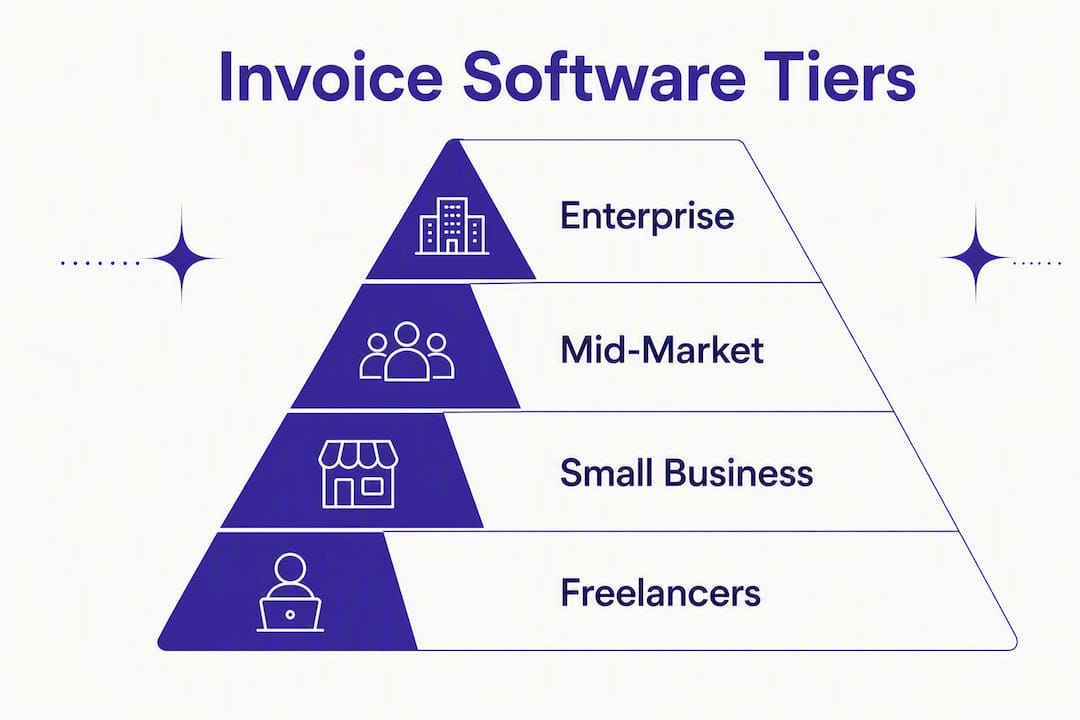
Pricing across all these tools varies by invoice volume, seat count, and connector requirements. Budget separately for implementation fees and custom integrations, which can add 20–50% to the first-year cost at the enterprise tier.
Pro Tip: Ask every vendor for a per-invoice cost breakdown at your actual monthly volume, not their headline tier price. The gap between the two is often where budget surprises hide.
A closer look at each tool
Zenith
Zenith is built for finance teams that live in Google Workspace. It captures invoices from email, extracts data with AI OCR at 99.7% claimed accuracy, and auto-files them to Google Drive with standardized naming. The bank-to-Sheets sync pulls live cash balances into Google Sheets, which cuts reconciliation from hours to minutes.

Strengths: OCR accuracy you can test before buying, zero-friction Drive/Sheets integration, fast deployment, subscription tiers with a free entry point. Watch for: Best suited to teams already in Google Workspace; less suited to organizations requiring a full ERP-native workflow. Pricing: Tiered subscription plus pay-as-you-go OCR pages; free trial available.
Rho
Rho combines corporate banking with AP controls in one platform, which is unusual. You get spend visibility across cards and payables without stitching together a bank and a separate AP tool. The trade-off is that it is a broader financial platform, not a pure AP automation specialist.
Strengths: Banking + AP in one account, strong spend controls. Watch for: Pricing is quote-based; implementation scope depends on banking setup.
Airbase
Airbase targets mid-market companies that want AP automation, corporate cards, and spend approvals under one roof. Its approval workflows are configurable, and it connects natively to NetSuite, Sage Intacct, and QuickBooks.

Strengths: Unified spend + AP, strong approval routing, solid ERP integrations. Watch for: Heavier to deploy than lighter AP tools; best suited to teams with a dedicated finance ops resource.
Stampli
Stampli is the tool most AP teams reach for when exception handling is the core problem. Its collaboration layer sits on top of each invoice, so approvers, AP staff, and vendors can communicate in context rather than over email chains. It connects to 70+ ERPs with pre-built integrations.
Strengths: Exception management, collaborative approvals, broad ERP coverage. Watch for: Pricing scales with invoice volume; confirm per-invoice costs at your actual throughput.
BILL (formerly Bill.com)
BILL is the most widely deployed AP/AR automation tool among US SMBs and mid-market companies. Its vendor payment network is a genuine differentiator: you can pay suppliers via ACH, check, or international wire from one interface. It connects to QuickBooks, Xero, NetSuite, and most major US banks.
Strengths: Large vendor network, ACH/check/wire in one place, strong accounting integrations. Watch for: OCR accuracy on complex invoices is not its headline feature; pair with a dedicated extraction tool if your invoice mix is complex.
Rossum
Rossum is an extraction-first platform. Its AI models are trained specifically on invoice documents, and it exposes developer-friendly APIs so you can plug the extraction layer into any downstream AP or ERP system. If your current AP tool has weak OCR, Rossum can replace just that layer.
Strengths: Best-in-class extraction accuracy, flexible APIs, strong on multi-page and non-standard invoice formats. Watch for: You still need an AP workflow tool downstream; Rossum is an extraction engine, not a full AP suite.
Coupa
Coupa is the enterprise standard for procurement-led AP automation. Its supplier network, analytics, and ERP integrations with SAP, Oracle, and Workday make it the default shortlist entry for companies with complex procurement and AP at scale.
Strengths: Procurement + AP in one platform, large supplier network, deep ERP integrations. Watch for: Enterprise pricing and implementation timelines measured in months, not weeks.
QuickBooks Online
For small businesses already using QuickBooks for accounting, adding its built-in invoicing and basic AP automation is the lowest-friction path. The 750+ app integrations mean you can layer on payment processors, payroll, and inventory without leaving the ecosystem.
Strengths: Tight accounting integration, low learning curve, large app marketplace. Watch for: Basic AP automation only; not suited to high-volume or complex PO-matching workflows.
Sage Intacct
Sage Intacct is the mid-market ERP with the deepest AP workflow capabilities in its class. Intercompany transactions, multi-entity consolidation, and a Salesforce-native integration make it the go-to for finance teams that have outgrown QuickBooks but are not yet at SAP scale.
Strengths: Rich GL and AP, intercompany features, strong partner network. Watch for: Per-user and per-module pricing adds up; implementation typically requires a partner.
Yooz
Yooz is a dedicated AP automation platform with multi-language and multi-currency support, which gives it an edge for US companies with international operations. It connects to 250+ ERP and accounting systems.
Strengths: End-to-end AP automation, global reach, broad connector library. Watch for: Less name recognition in the US market than BILL or Stampli; ask for US-based customer references.
SAP Concur Invoice
If your organization already runs Concur for travel and expense, adding SAP Concur Invoice is the natural extension. The T&E and invoice data share one approval workflow and one reporting layer, which reduces the reconciliation burden for finance teams managing both.
Strengths: Unified T&E + invoice processing, deep SAP ERP integration. Watch for: Enterprise pricing; implementation complexity scales with your SAP environment.
Tipalti
Tipalti is the specialist for companies paying large numbers of global suppliers. Its supplier onboarding portal, tax form collection (W-9, W-8), and multi-currency payment rails handle the compliance and operational overhead that breaks most AP tools at scale.
Strengths: Global payment rails, supplier self-onboarding, tax compliance automation. Watch for: Platform fee plus per-payment pricing; ROI is clearest above roughly 100 supplier payments per month.
Xero
Xero’s invoicing is built around speed and simplicity. Automated payment reminders, e-invoicing, and Pay now buttons reduce the time between sending an invoice and getting paid. For small US businesses, it is a strong alternative to QuickBooks Online.
Strengths: Simple invoicing, automated reminders, 1,000+ integrations. Watch for: AP automation depth is limited compared to dedicated tools; best as an accounting-first platform.
FreshBooks
FreshBooks is the easiest entry point for freelancers and very small businesses. Time tracking feeds directly into invoices, and the interface requires almost no accounting knowledge to use. It is not an AP automation tool in the enterprise sense, but for a one-to-five-person team, it covers the basics well.
Strengths: Easiest to use, time-to-invoice workflow, clean interface. Watch for: Limited PO-matching and approval workflows; outgrown quickly as headcount grows.
How do you choose the right invoice processing software?
The decision comes down to five variables: your invoice volume, your ERP or accounting system, your team’s technical capacity, your compliance requirements, and your budget for implementation. Here is how to work through them.
Ranked selection criteria
- OCR and extraction accuracy — the foundation of any automated AP workflow. Test vendors with your actual invoice mix, including multi-page PDFs and scanned documents.
- PO-matching capabilities — two-way and three-way matching reduces manual reconciliation. Confirm the matching logic handles your PO format.
- Integration depth — a native connector to your ERP or accounting system (QuickBooks, NetSuite, Sage Intacct, SAP) is worth more than a generic API that requires custom development.
- Exception handling — how the tool routes unmatched invoices, flags duplicates, and notifies approvers determines how much manual work remains after automation.
- Security and compliance — SOC 2 Type II attestation is the minimum bar. If you handle healthcare billing, confirm HIPAA alignment.
- Deployment time and total cost of ownership — include connector fees, professional services, and the internal hours needed for vendor mapping and testing.
- Vendor support model — a dedicated implementation resource matters more than a help center for the first 90 days.
Questions to ask in every vendor demo
- What OCR accuracy do you guarantee on multi-page PDF invoices, and how is it measured?
- How do you handle unmatched POs and duplicate invoices?
- Which ERPs do you support with native (not API-only) integrations?
- What is the typical time from contract to first invoice processed?
- How are exceptions routed, and can we configure the approval chain without professional services?
- What does your SOC 2 Type II report cover, and when was the last audit?
- What is the per-invoice cost at our actual monthly volume?
- Do you charge separately for connectors, bank feeds, or additional users?
- What does your implementation team hand off, and when does support transition to standard SLA?
- Can we run a pilot with a subset of suppliers before full rollout?
- How do you handle invoice formats in languages other than English?
- What is your uptime SLA and incident response time?
Red flags to watch for
- No clear implementation plan or timeline at the point of sale
- Vague pricing that requires a custom quote for every line item
- No SOC 2 attestation or an audit older than 18 months
- No native API or bank connector for your primary accounting system
- Demo uses only clean, simple invoices — ask to test with your messiest samples
- No reference customers in your industry or at your invoice volume
Decision checklist by company size
- Fewer than 50 invoices per month: Start with Xero, FreshBooks, or QuickBooks Online. Add Zenith if you need OCR and Drive/Sheets automation.
- 50–500 invoices per month: Evaluate Zenith, BILL, Stampli, or Airbase. Prioritize integration with your accounting system.
- 500–5,000 invoices per month: Shortlist Stampli, Yooz, Tipalti, or Sage Intacct. Require a formal implementation plan.
- 5,000+ invoices per month: Coupa, SAP Concur Invoice, or Tipalti. Expect a multi-month deployment and dedicated enterprise support.
What does invoice processing software actually cost?
Pricing bands
Invoice processing software pricing falls into three broad bands. Budget tools (FreshBooks, Xero, QuickBooks Online) run roughly $15–$80 per month on subscription tiers. Mid-market platforms (Zenith, BILL, Stampli, Airbase, Yooz) typically price by seat or invoice volume, with monthly costs ranging from a few hundred dollars to several thousand depending on usage. Enterprise platforms (Coupa, SAP Concur Invoice, Tipalti at scale) are quote-based and rarely below five figures annually once implementation is included.
Hidden costs to budget for: ERP connector fees, custom field mapping, professional services during cutover, and the internal staff hours spent on vendor ID mapping. For a mid-market deployment, budget 1–2 weeks of internal effort per major supplier for mapping and testing.
Implementation timeline
| Phase | Typical duration | Key activities |
|---|---|---|
| Pilot (2–3 suppliers) | 2–4 weeks | OCR settings, PO-mapping rules, approval chain config |
| Internal rollout | 4 weeks | Vendor onboarding, exception workflow tuning, user training |
| Full-scale deployment | 3–6 months | All suppliers live, ERP integration validated, reporting active |
| Steady-state optimization | Ongoing | Exception rate monitoring, accuracy tuning, new supplier onboarding |
ROI signals to track
Integrated invoicing platforms that combine OCR with payments and automated dunning reduce days sales outstanding (DSO) by enabling immediate online payment and smart retry logic. On the payables side, automation reduces the per-invoice processing cost and cuts the manual hours spent on data entry, chasing approvals, and reconciling statements. The clearest ROI metric is the reduction in cost-per-invoice processed: manual AP typically costs $10–$15 per invoice; automated AP can bring that below $3, though your actual figure depends on invoice complexity and integration depth.
87% of invoices sent through modern digital platforms are paid within 24 hours, which translates directly to lower DSO and better cash visibility.
How we selected and evaluated these products
Evaluation criteria and weighting
| Criterion | Weight | What we assessed |
|---|---|---|
| OCR and extraction accuracy | — | Vendor-published accuracy claims, test page results, field-level extraction on complex invoices |
| Integration depth | 20% | Native ERP/accounting connectors, bank feeds, payment rails |
| Ease of use and deployment | 15% | Time to first invoice processed, UI complexity, self-serve vs. professional services |
| Security and compliance | 15% | SOC 2 Type II attestation, encryption standards, audit recency |
| Customer support and references | 15% | Implementation support model, SLA, user reviews on G2 and Capterra |
| Pricing transparency | 10% | Published pricing, per-invoice cost clarity, hidden fee risk |
Data sources and verification steps
- Vendor product pages and published documentation reviewed for feature claims and pricing.
- Independent user reviews on G2 and Capterra cross-referenced for real-world accuracy and support quality.
- Vendor case studies reviewed for deployment timelines and stated outcomes.
- OCR accuracy validated using Zenith’s public OCR test page and vendor-published benchmarks where available.
- Pricing verified on vendor pages at the time of research; confirm current pricing directly with vendors before procurement.
- Integration lists cross-checked on vendor integration directories.
Research was conducted in 2025–2026. Pricing and feature sets change; treat all figures as directional and verify before signing.
Key Takeaways
Zenith is the strongest starting point for US finance teams that need fast OCR, Google Drive/Sheets integration, and live bank reconciliation without a months-long enterprise deployment.
| Point | Details |
|---|---|
| Start with OCR accuracy | Test vendors with your actual invoice mix before committing; Zenith’s public test page lets you do this before purchase. |
| Match tool to invoice volume | Under 50 invoices/month: SMB tools. 50–500: mid-market AP platforms. 5,000+: enterprise suites with dedicated implementation. |
| Budget for hidden costs | Connector fees, vendor mapping, and professional services can add 20–50% to first-year enterprise costs. |
| Digital invoicing speeds payment | 87% of invoices on modern digital platforms are paid within 24 hours, making platform choice a cash flow decision. |
| Zenith for Drive/Sheets teams | Zenith combines AI OCR, email-to-Drive auto-filing, and live bank-to-Sheets sync in one fast-to-deploy subscription. |
What most finance teams get wrong about AP automation rollouts
The conventional wisdom says the hard part of AP automation is picking the right software. It is not. The hard part is vendor mapping.
Most finance teams spend weeks evaluating OCR accuracy and approval workflows, then discover on day one of the pilot that their vendor IDs in the ERP do not match the supplier names on the invoices. That mismatch is what generates exceptions, and exceptions are what keep AP staff manually touching invoices long after “automation” is live.
The fix is unglamorous: map your top 10–20 suppliers by invoice volume before you go live, not after. Confirm PO number formats, validate vendor IDs, and run a batch of real invoices through the OCR engine with your actual document mix, including the scanned faxes and the handwritten credit notes that your team dreads. Piloting with 2–3 suppliers first to validate OCR settings and mapping rules before full rollout eliminates the majority of exceptions during the broader rollout.
One more thing most evaluations miss: OCR accuracy on multi-page invoices and invoices with handwritten fields is the primary limit on fully automated AP. Ask vendors for page-level extraction accuracy and field-level F1 scores, not just a headline percentage. A vendor that cannot answer that question in a demo is telling you something important.
Pro Tip: Negotiate a pilot clause into your contract: 30–60 days processing a defined invoice batch before full commitment. Any vendor confident in their extraction accuracy will agree to it.
Zenith-books is built for exactly this workflow
Skip the months-long enterprise deployment. Zenith-books gives finance teams AI-powered invoice extraction, automatic email-to-Drive filing, and live bank-to-Sheets reconciliation in a single subscription, with a free trial and no implementation consultant required.

The difference from most tools on this list: you can test the OCR engine on your own invoices before paying anything. Upload a real invoice, see the extracted fields, and decide. If your team runs on Google Workspace and needs bank reconciliation without a six-month ERP project, the Zenith solutions overview shows exactly what goes live and how fast.
Start your free trial at zenith-books.com or test the OCR on your invoice samples today.
Disclosure: This article is published by Zenith-books. Zenith is one of the products evaluated in this comparison and is presented as the recommended pick for Google Drive/Sheets-based finance workflows. All other vendors are assessed independently on the criteria described in the methodology section.
Useful sources and vendor pages
Use these to verify claims, check current pricing, and do deeper due diligence before any procurement decision.
Zenith-books
- Test Our Invoice OCR — 99.7% Accurate | Zenith — Test extraction accuracy on your own invoices before purchase.
- Invoices from Email to Google Drive — Auto-Filed | Zenith — Step-by-step guide to email ingestion and Drive auto-filing.
- Bank to Google Sheets — Live Cash Flow Sync | Zenith — Live bank reconciliation into Google Sheets.
- How to Automate Invoice Processing From Email | Zenith Blog — Practical pilot guide for email-based invoice capture.
Vendor product pages
Independent reviews
- G2 — Stampli Reviews — User reviews covering approval workflows and exception handling in practice.
- G2 — Tipalti Reviews — User reviews on global payment rails and supplier onboarding.
- G2 — Airbase Reviews — User reviews on mid-market spend management and AP controls.
Pricing and integration details change frequently. Verify all figures directly on vendor pages before issuing an RFP or signing a contract.