
Best Pleo Alternatives for US Finance Teams in 2026

For US small businesses ready to move beyond card-first expense tracking, the shortlist worth evaluating is: Zenith-books, Ramp, Brex, Airbase, Bill.com, Expensify, and Melio. Zenith-books is the recommended pick for teams that need AP automation without a complex implementation.
- Why Zenith-books leads for small businesses: AI-powered invoice OCR pulls invoices directly from email and auto-files them to Google Drive, while live bank-to-sheets sync eliminates manual reconciliation. Migration is low-friction by design.
- When to stay card-first: If your team is under 10 people and your finance work is purely card expenses and receipts, a card-first tool still covers the job. The switch to AP automation pays off when vendor invoices start piling up.
Table of Contents
- Which Pleo alternatives fit your needs?
- How do you choose the right Pleo alternative for a US small business?
- What does migration actually cost and how long does it take?
- Expense-first tools versus AP automation: which fits your growth stage?
- What does each alternative category do best?
- How does pricing work and where do costs hide?
- What do customers say about these platforms?
- Key Takeaways
- Why the card-first-to-AP shift matters more than the tool you pick
- Zenith-books handles the AP automation shift without the heavy lift
- Sources and further reading
Which Pleo alternatives fit your needs?
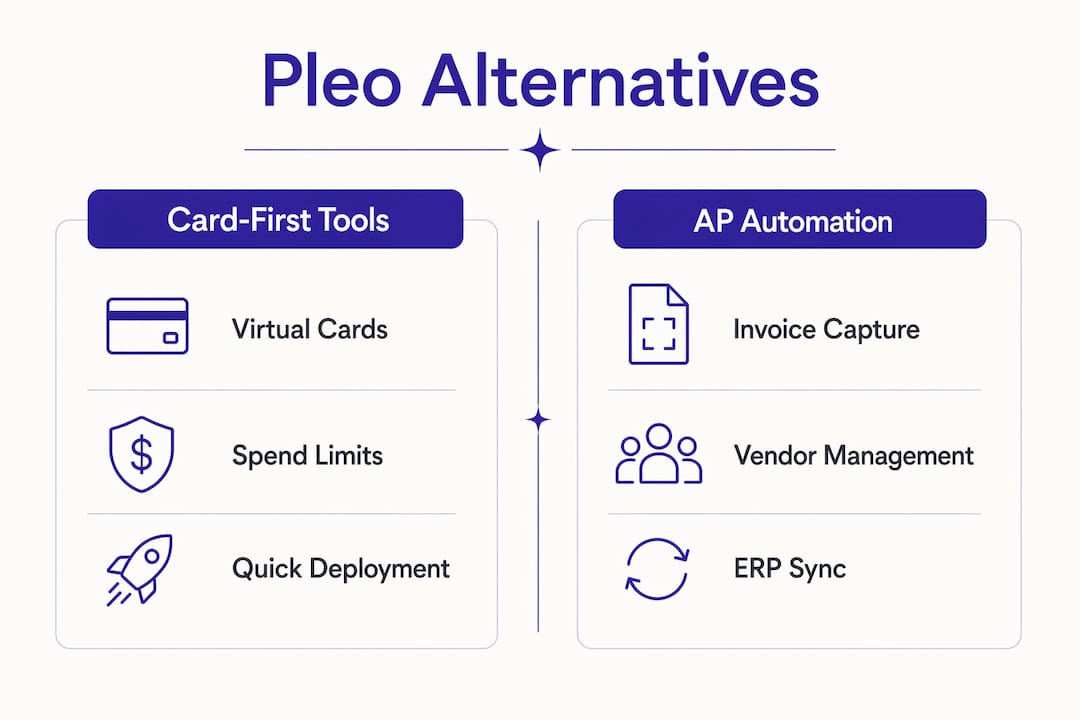
Buyers move off card-first platforms when they need accounts-payable automation, complex org support, and native two-way ERP integrations. The table below maps capability categories rather than ranking named vendors head-to-head.
| Category | Best for | Core strength | Invoice / AP handling | Cards & controls | ERP / accounting sync | Multi-entity support | Pricing shape | Migration effort | Support & SLA | Security |
|---|---|---|---|---|---|---|---|---|---|---|
| Card-first platforms | 1–50 employees, pure expense focus | Virtual cards, receipt capture | Limited or add-on | Strong | Connector-based | Limited | Per-user or per-card | Low | Self-serve | SOC 2 Type II |
| AP-first / P2P platforms | 50–250 employees, vendor invoice volume | PO workflows, vendor payments | Native OCR, approval flows | Moderate | Native two-way (select ERPs) | Yes | Per-active-user or volume | Medium–high | Dedicated CSM | SOC 2 Type II |
| Hybrid finance automation stacks | 250+ employees, multi-entity | Full procure-to-pay | End-to-end, multi-approver | Full | Native two-way (NetSuite, Sage) | Strong | Module-based | High | Enterprise SLA | SOC 2 Type II + ISO |
| Zenith-books | 1–100 employees, AP + bookkeeping automation | AI invoice extraction, bank-to-sheets sync | AI OCR from email, auto-filed to Drive | Expense tracking | QuickBooks, Xero, Google Sheets | Growing | Tiered SaaS, free tier available | Very low | Responsive, onboarding included | SOC 2 aligned, data encryption |
Pro Tip: Focus first on the “ERP / accounting sync” and “Invoice / AP handling” columns. If your current ERP requires native two-way sync and your invoice volume is growing, connector-based options will cost you reconciliation hours every month.
The best alternative depends on regional market and company scale — some vendors favor domestic free tiers and AI spending insights while others prioritize multinational ERP and multi-entity capabilities.
How do you choose the right Pleo alternative for a US small business?
Start with one question: do you need AP and purchase-order depth, or just better card controls? That single answer eliminates half the market.
Prioritized checklist:
- ERP/accounting integration type — native two-way sync versus connector-based. Native sync drastically reduces reconciliation work; connectors add a maintenance layer.
- Invoice capture and OCR accuracy — can the tool pull invoices from email automatically, or does someone still upload them manually?
- Multi-entity and multi-currency support — critical if you operate more than one legal entity or pay international vendors.
- Approval and PO workflows — do you need purchase orders before invoices arrive, or just post-spend approvals?
- Vendor payment types — ACH, virtual cards, check. Verify which are included versus add-ons.
- Pricing model risks — published free tiers sometimes hide caps on active users, OCR pages, or integration connectors that inflate costs as you scale.
Screening questions for vendor demos:
- What happens to my pricing when I add five more users mid-contract?
- Is the ERP sync native or does it route through a middleware layer?
- How many OCR pages does my tier include, and what is the overage rate?
- Can I run a single-entity pilot before full rollout?
For teams at 1–50 employees, items 1 and 2 matter most. At 50–250, add items 3 and 4. Above 250, all six are table stakes. Gartner Peer Insights groups buyer evaluation across contracting, integration, deployment, service, and product capabilities — a useful framework for structuring your own vendor scorecard.
What does migration actually cost and how long does it take?
The honest answer: longer than vendors quote and more expensive than the license fee alone.
Timeline ranges:
- 1–50 employees: 2–4 weeks. Main tasks: data export, vendor list cleanup, approval hierarchy mapping, one integration test cycle.
- 50–250 employees: 4–8 weeks. Add: GL code remapping, parallel-run period, staff retraining.
- 250+ employees: 8–16 weeks. Add: multi-entity configuration, ERP mapping with professional services, change management.
Mapping approval hierarchies and custom GL codes to a new system typically takes weeks on its own. Clean your vendor list and category coding before you export — migration errors compound fast when the source data is messy.
Hidden costs to budget for:
- Staff productivity dip during retraining (often 2–3 weeks of slower close cycles)
- Middleware or connector fees if native ERP sync is not included
- OCR volume overruns if your invoice count exceeds the tier limit
- Professional services for ERP field mapping (common with NetSuite and Sage)
Minimal-risk migration plan:
- Inventory and clean your vendor list and GL coding before export.
- Pilot with one entity or one cost center for 30 days.
- Run the old and new systems in parallel for one month.
- Cut over and monitor KPIs (reconciliation time, invoice processing time, error rate) for 30–60 days.
Pro Tip: A higher-priced platform with smooth onboarding often delivers better ROI than a cheaper one with a rough implementation. The productivity dip during retraining is a real cost that rarely appears in vendor pricing decks.
Expense-first tools versus AP automation: which fits your growth stage?
Two distinct archetypes exist in this market, with a hybrid third emerging.
Expense-first tools center on virtual cards, receipt capture, and spend limits. They are fast to deploy and work well when your finance team’s primary job is controlling employee spending. The automation ceiling is low: reconciliation still requires manual GL matching, and vendor invoices live outside the system.

AP-first and procure-to-pay platforms add inbound invoice capture (OCR), vendor management, PO enforcement, and two-way ERP sync. The decision to leave a card-first platform is usually driven by growth: finance teams need centralized supplier invoice control and purchase order flows rather than more cards. At roughly 50+ employees or 100+ vendor invoices per month, the manual reconciliation load becomes the bottleneck.
Hybrid stacks combine both. Some expense tools that also offer payroll or global payment rails are chosen when teams want a broader operational stack rather than a single-purpose card tool.
The automation outcomes that change when you upgrade: reconciliation time drops because invoices match automatically against POs, manual GL adjustments shrink because the ERP sync is two-way, and vendor control centralizes because every invoice enters one queue. For a practical look at what invoice reconciliation actually involves before and after automation, that breakdown is worth reading before your demos.
What does each alternative category do best?
US-native card-first platforms (Ramp, Brex, Expensify)
- Best for: Teams of 1–100 focused on employee spend control and receipt capture.
- Standout capability: Real-time spend visibility, virtual card issuance, and policy enforcement at the point of purchase.
- Pricing shape: Per-user or free tier with transaction-based revenue; watch for active-user caps.
- Migration friendliness: High — most offer CSV import and basic accounting connectors.
AP-first and vendor payment platforms (Airbase, Bill.com, Melio)
- Best for: Teams processing significant vendor invoice volume who need approval workflows and ACH/check payment rails.
- Standout capability: Inbound invoice capture, multi-approver workflows, and vendor payment scheduling.
- Pricing shape: Per-active-user or volume-based; integration connectors sometimes priced separately.
- Migration friendliness: Medium — vendor list import is straightforward, but approval hierarchy mapping takes time.
Zenith-books
- Best for: US small businesses (1–100 employees) moving from manual bookkeeping to AP automation without a heavy implementation.
- Standout capability: AI invoice extraction from email, auto-filing to Google Drive, and live bank sync to Google Sheets. Zero manual data entry across transactions.
- Pricing shape: Tiered SaaS with a free tier; pay-as-you-go options based on OCR pages and bank accounts.
- Migration friendliness: Very high — plug-and-play setup, no ERP consultant required.
Clients like Združenje YES and BAM Chocolate report reduced month-end close times and zero manual entry across transactions after switching to Zenith-books.
How does pricing work and where do costs hide?
Marketplace alternatives vary widely in starting price and in how they surface add-on costs. Common pricing models: per-seat (all users), per-active-user (only users who transact), volume-based OCR pages, and module-based (cards, AP, and ERP sync priced separately).
Where costs scale unexpectedly:
- OCR page overages when invoice volume spikes
- Active-user caps that reset monthly and catch growing teams mid-contract
- Integration connectors billed as add-ons on top of the base plan
- ACH or virtual card transaction fees not visible in the headline price
Stress-test questions to ask every vendor:
- What is the overage rate per OCR page above my tier limit?
- Are QuickBooks or Xero connectors included or add-ons?
- How is “active user” defined for billing — login, transaction, or approval action?
- Is professional services for ERP mapping included or quoted separately?
To estimate total cost of ownership, add the base license, expected overage costs at 1.5x your current invoice volume, connector fees, and one-time migration costs. That number is what you actually pay in year one.
What do customers say about these platforms?
Across review aggregators, card-first platforms consistently earn praise for fast onboarding and clean mobile apps. The recurring complaint: they hit a wall when AP complexity grows. Users flag that receipt matching is smooth but vendor invoice handling requires manual workarounds.
AP-first platforms get high marks for approval workflow depth and ERP sync accuracy. The friction shows up in setup: users on platforms like Airbase and Bill.com frequently note that initial configuration takes longer than expected, particularly for custom approval chains and GL mapping.
Expensify draws strong reviews for its mobile receipt scanning and reimbursement speed. Criticism centers on pricing transparency as teams scale past the free tier.
Melio earns consistent praise for simplicity in vendor payments, especially ACH and check. It is not a full AP automation platform, but for small teams that primarily need to pay bills, the friction is minimal.
Zenith-books users highlight the email-to-Drive auto-filing as the feature that eliminates the most daily friction, alongside the live bank sync that replaces manual spreadsheet updates. The manual expense tracking cost is something most teams underestimate until they see the hours saved in the first month.
Key Takeaways
For US small businesses outgrowing a card-first workflow, the right Pleo alternative depends on two things above all else: whether you need native two-way ERP sync and how much AP automation your invoice volume demands.
| Point | Details |
|---|---|
| Card-first vs. AP-first | Choose AP automation when vendor invoice volume or reconciliation time is your bottleneck, not card controls. |
| ERP integration type | Native two-way sync beats connector-based every time — it eliminates manual GL adjustments at month-end. |
| Hidden pricing risks | Stress-test OCR page limits, active-user caps, and connector fees against 1.5x your current volume before signing. |
| Migration timeline | Budget 2–4 weeks for small teams, 4–8 weeks for mid-size; clean vendor and GL data before you export. |
| Zenith-books recommendation | Zenith-books offers AI invoice OCR, email-to-Drive auto-filing, and bank-to-sheets sync with a free tier and very low migration effort. |
Why the card-first-to-AP shift matters more than the tool you pick
The conversation about Pleo alternatives usually gets framed as a feature comparison. That framing misses the real question. The tools are not the hard part. The hard part is recognizing that a card-first workflow was built for a company at a specific size, and that the friction teams feel at 30 or 50 employees is not a tooling problem — it is a process architecture problem. Switching platforms without rethinking the underlying approval and invoice flow just recreates the same bottleneck in a new interface.
What I have seen work: teams that treat the migration as a process redesign first and a software swap second. They map where invoices actually enter the business (email, vendor portals, paper), who touches them, and where they stall. Only then do they match a platform to that reality. The teams that skip that step end up six months later with a more expensive tool and the same manual reconciliation habits.
Zenith-books fits well here precisely because its setup forces that clarity. Auto-filing from email and live bank sync are not features you configure around a broken process — they replace the process entirely.
Zenith-books handles the AP automation shift without the heavy lift
Most AP automation platforms assume you have an IT team and a three-month runway. Zenith-books is built for the opposite situation: a small finance team that needs invoice capture, auto-filing, and live cash visibility running this week, not next quarter.

AI invoice extraction pulls invoices from your inbox and files them to Google Drive automatically. Live bank-to-sheets sync replaces the manual spreadsheet update you do every morning. The free tier lets you test the core workflow before committing, and migration assistance is available for teams moving off a card-first platform. Book a demo or explore the full solutions overview to see the setup in action.
Sources and further reading
- Top Pleo Alternatives & Competitors 2026 — Gartner Peer Insights
- Best Pleo Alternatives in 2026 — IndustryLens
- Pleo Alternatives: Airbase + More (2026) — CostBench
- Pleo Alternatives: Digitising Your Expense Management — Factorial
- 10 Best Pleo Alternatives & Competitors (2026) — SoftwareSuggest
- Invoice reconciliation explained — Zenith-books Blog
- How to automate invoice processing from email — Zenith-books Blog
- Expense management for startups before Series A — Zenith-books Blog
- Invoices from email to Google Drive — Zenith-books Solutions