


Automated accounting exports move transaction and invoice data from a source system into your accounting platform without anyone retyping a single line. The fastest path to running is usually a direct API or webhook integration, which pushes data in near real time. Scheduled API pulls or SFTP transfers work as a solid middle ground for batched updates, and CSV or Excel exports remain the fallback when a legacy system can’t do anything smarter.
Before you commit to a method, know what you’re getting:
- Hours back at month-end close, since nobody is re-entering invoice lines by hand
- Fewer mis-posted entries because mapping rules apply the same way every time
- A live view of cash position instead of a spreadsheet that’s three days stale
If you run finance for a small business or lead a bookkeeping team drowning in manual entry, this guide walks through the setup choices, the technical groundwork, and the workflow that keeps exports reliable once they’re live.
Key Takeaways
Automated accounting exports succeed when the export method matches your data volume and system maturity, and when validation runs before every batch, not after.
| Point | Details |
|---|---|
| Match method to volume | Use direct API or webhooks for high volume, SFTP for legacy systems, and CSV only as a fallback. |
| Prepare before enabling | Finalize chart of accounts, tax codes, and vendor data before the first test batch. |
| Test with acceptance criteria | Run a pilot of about 100 items and require zero unexplained critical failures. |
| Separate control and data layers | Resuming from a control list after a failure prevents duplicate postings. |
| Consider a managed platform | Zenith handles invoice extraction, mapping, and export monitoring so finance teams skip building this in-house. |
Table of Contents
- Why Automate Accounting Exports?
- What Are the Standard Export Methods?
- What Do You Need Before Enabling Exports?
- How Does the Export Job Lifecycle Work?
- What Technical Considerations Matter for Reliable Exports?
- How Do You Enable and Test Your First Export?
- How Do You Catch and Fix Export Failures?
- Why Finance Teams Choose a Managed Export Solution
- Zenith-Ready Exports: What We Provide and How to Start
- Links and Developer Resources to Consult Next
- Sources
Why Automate Accounting Exports?
Manual entry is where accounting errors are born. A transposed digit in a vendor invoice or a missed tax code doesn’t announce itself. It sits there until reconciliation, and by then it’s cost someone an afternoon of tracing.
Automated exports fix the mechanical part of that problem. Because automating exports reduces manual data entry and formats output for major accounting systems with mappings tied to your own chart of accounts, the categorization logic runs the same way on invoice one and invoice one thousand. That consistency is what shortens close.
The visibility gain matters just as much as the time saved:
- Real-time or near-real-time exports mean your cash flow numbers reflect this morning, not last Friday
- Fewer manual touchpoints mean fewer places for an auditor to ask “who approved this entry, and why does it look different from the one above it?”
What Are the Standard Export Methods?
Four methods cover almost every real-world setup, and SFTP transfers, direct API integration, webhooks, and file-based exports remain the standard toolkit, each suited to a different combination of volume and system age.
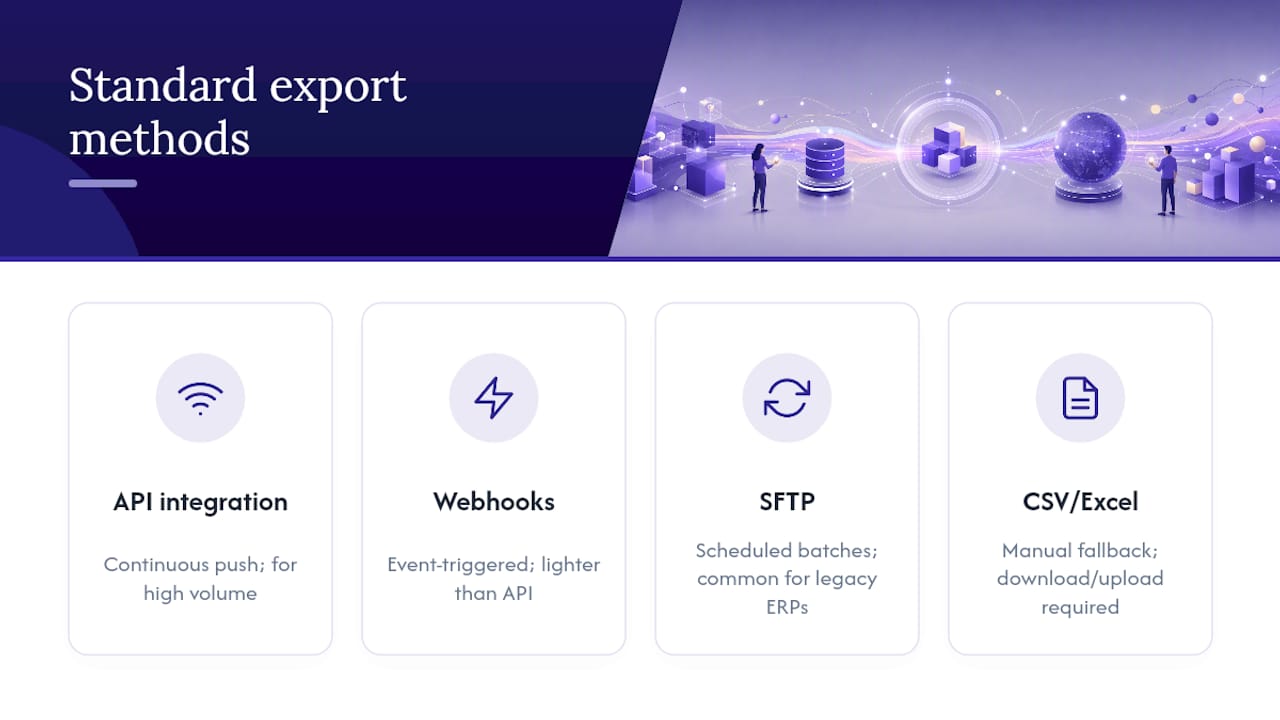
Direct API integration connects your source system and your accounting platform continuously, pushing records as they’re created. It’s the right call for high transaction volume, like e-commerce businesses processing hundreds of daily orders.
Webhook-triggered exports fire the moment a specific event happens, an invoice approval or a payment clearing, rather than polling on a schedule. They’re lighter weight than a full API integration and pair well with systems that already emit events.
SFTP batch transfers move files on a schedule, commonly daily or weekly, and remain the default for legacy ERPs that were never built with modern APIs in mind.
CSV or Excel exports are the fallback when nothing else is available. They work, but every manual download and upload reintroduces the human error automation was supposed to eliminate.
The failure mode to watch for: API integrations break silently when authentication tokens expire, while file-based exports fail loudly and visibly, usually the day someone forgets to run them.
What Do You Need Before Enabling Exports?
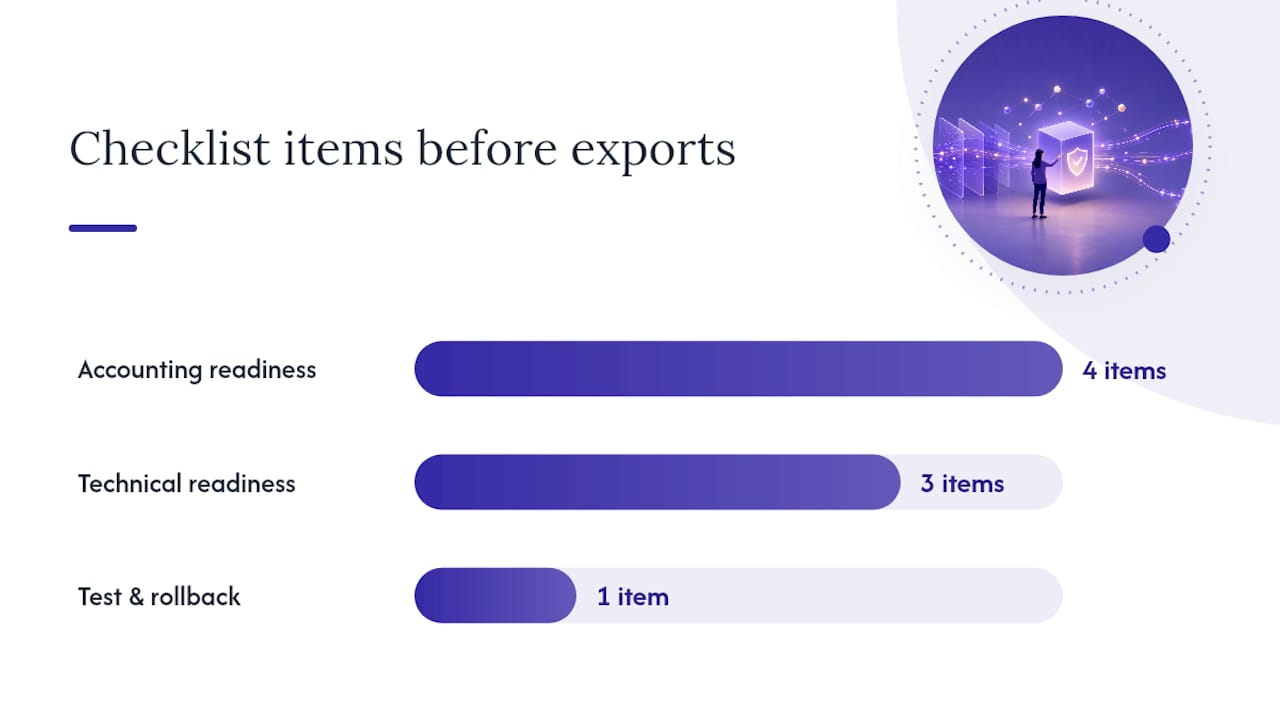
Nothing kills an automated export rollout faster than launching before the accounting side is actually ready. Two checklists, run in parallel, catch most of what goes wrong.
Accounting readiness:
- Chart of accounts finalized, with no duplicate or ambiguous account names
- Tax codes assigned to every expense category you plan to export
- Vendor master data cleaned so invoices match existing records instead of creating duplicates
- Attachment handling defined (do you need the source PDF attached to the accounting entry, or just the data?)
Technical readiness:
- API keys generated and scoped to least privilege
- User roles and permissions set before go-live, not after
- SFTP or webhook endpoints tested against a sandbox, not production
A compact mapping example shows how this comes together: a “Software Subscription” expense line maps to GL account 6210, tagged with a standard VAT code, and routed automatically without a bookkeeper touching it. Run a test batch and confirm you can roll back cleanly before you trust it with real numbers.
How Does the Export Job Lifecycle Work?
Developers and finance leads need the same mental model here, because a broken handoff between “how the export runs” and “what the bookkeeper sees” is where most frustration starts. A well-built export integration orchestrates the process through export jobs and job items, moving through a consistent sequence:
- Detect and start the job. The system flags that new data is ready and claims exclusive rights to process it, creating an auditable start event.
- Run pre-export validation. Check that required fields, tax codes, and account mappings are present before touching anything.
- Retrieve the control list. A lightweight list of items to process, separate from the actual payload data.
- Fetch full payload data. Pull the complete record for each item on the control list.
- Process and record items. Post each item to the destination system.
- Update item statuses. Mark each item success or failure, with a reason attached to any failure.
- Complete the job. Close out with a summary report.
That separation between the control list (what needs processing) and the payload (the actual data) is what lets a job resume cleanly after a crash instead of reprocessing everything from scratch.
Pro Tip: Ask your integration provider whether failed items get resumed individually or whether the whole batch reruns. That single answer tells you how much manual cleanup you’ll do after a bad night.
What Technical Considerations Matter for Reliable Exports?
Reliability lives in details most finance leads never see, but they’re the reason an export either runs quietly for two years or breaks every third Tuesday.
- Authentication and token rotation. Scope API access to least privilege, and rotate tokens on a schedule rather than waiting for a breach to force it.
- Idempotency. Marking a job “started” grants exclusive processing rights, which prevents two processes from posting the same invoice twice, a common cause of duplicate accounting entries.
- Retry logic. Transient failures, like a momentary API timeout, should retry automatically with exponential backoff. Permanent failures, like a missing tax code, should stop and alert a human instead of retrying forever.
- Schema versioning. When the accounting platform changes its data structure, exports need a versioning strategy so old integrations don’t silently start failing.
Pro Tip: Hand your developer a one-page checklist before integration work starts: auth scope, retry rules, and how failures should surface to finance. It saves a week of back-and-forth later.
How Do You Enable and Test Your First Export?
Enabling an export isn’t a single toggle. It’s a short sequence, and skipping steps here is exactly how a small mapping error becomes a month-end scramble.
- Authorize the connection between source system and accounting platform.
- Configure field-to-account mapping using your chart of accounts.
- Run a manual batch against a small, known sample.
- Review per-item results line by line.
- Fix any mapping errors and rerun before scaling up.
Set acceptance criteria before you start, not after. A reasonable target: zero critical failures across a sample of 100 items, with any failures traced to a clear, fixable cause rather than something unexplained.
- Start with one entity, department, or expense category
- Confirm results for a full close cycle before adding volume
- Only then roll the export out company-wide
How Do You Catch and Fix Export Failures?
Most export failures fall into a short list: expired authentication tokens, a schema mismatch after a platform update, a temporarily unavailable accounting API, or a vendor record that doesn’t match anything in your master data.
- Watch job dashboards for status codes, since export jobs commonly report pending, failed, completed, or completed_with_errors, and each status calls for a different response.
- Set alert thresholds so a spike in failed items pages someone instead of sitting unnoticed in a log.
- Build a recovery habit: resume from the control list rather than reprocessing everything, and reconcile failed items manually only after confirming the root cause.
Pro Tip: Keep a one-page runbook taped next to your export dashboard: who gets paged, what counts as a critical failure, and where the manual reconciliation spreadsheet lives.
Why Finance Teams Choose a Managed Export Solution
Building this in-house is possible. Most finance leads who’ve tried it end up asking why they didn’t buy the monitoring and mapping logic instead of writing it themselves.
A managed export product gives you fewer exceptions to chase, a predictable close calendar, and one place where every export status lives instead of three dashboards and a Slack thread. The mappings and monitoring are already built, which cuts the time between “we decided to automate” and “this actually works” from months to days.
Building in-house makes sense only if your export logic is genuinely unique. For most small businesses, it isn’t.
Zenith-Ready Exports: What We Provide and How to Start
Zenith automates the parts of bookkeeping that eat the most hours: pulling invoice data out of emails and PDFs, mapping it to your chart of accounts, attaching the source document, and exporting the finished entry to your accounting system with monitoring built in rather than bolted on.

Clients including Združenje YES and BAM Chocolate report zero manual entry across transactions and a shorter month-end close after switching over. Every export carries a clear audit trail, so when a bookkeeper asks “where did this entry come from,” the answer is one click away instead of a forensic exercise.
Getting started follows the same sequence outlined above: map your accounts, run a pilot batch, and review the results before scaling. Explore Zenith’s plug-and-play finance workflows to see the connectors in action, or check out automated invoice filing to Google Drive if attachment handling has been your biggest headache.
Links and Developer Resources to Consult Next
Implementers ready to go deeper should start here:
- The Export Integration Workflow Guide walks through job orchestration, control lists, and recovery patterns in technical detail.
- The Export API Overview documents job statuses and webhook event structures for developers building integrations.
- Alaan’s explainer on one-click exports breaks down on-demand versus scheduled export patterns.
- Zenith’s guide to automating bookkeeping offers a practical setup path for small business teams starting from scratch.