


Invoice data extraction converts invoices into validated, structured data you can post to your ledger without retyping a single line. The recommended approach for most finance teams pairs AI-powered extraction with built-in validation rules and direct ERP mapping, not a standalone tool that just spits out text. Done right, this is “touchless” processing: an invoice arrives, gets read, gets checked against your vendor and PO records, and lands in your accounting system with no human keystrokes.
Expect these outputs from a solid setup:
- Excel or CSV for analysts reconciling batches or building reports
- Structured JSON for direct ERP or accounting system imports
- Confidence-scored fields flagging anything that needs a human look before posting
Key Takeaways
Invoice data extraction only delivers ROI when AI-powered capture is paired with validation rules and direct ERP integration, not treated as a standalone step.
| Point | Details |
|---|---|
| Prioritize integration over accuracy alone | A tool with high accuracy but no ERP connector still requires manual data transfer. |
| Test line-item accuracy specifically | Header fields are usually reliable; line items vary the most and need dedicated pilot testing. |
| Use confidence scoring to route work | Set thresholds so high-confidence invoices post automatically and low-confidence ones reach a human. |
| Plan for ongoing model tuning | Supplier layouts change over time, so review exceptions and retrain regularly after go-live. |
| Zenith-books pairs extraction with workflow | Zenith connects AI invoice extraction to validation, ERP mapping, and automated Google Drive filing for touchless processing. |
Table of Contents
- What Is Invoice Data Extraction and Why It Matters for AP
- How Invoice Data Extraction Works: Pipeline and Core Techniques
- What Fields and Outputs Does AP Need to Capture?
- What Invoice Formats and Inputs Does the System Need to Handle?
- Why Do Invoices Get Misread, and How Do You Catch It?
- Where Does Extraction Fit in the AP Workflow?
- Open-Source, Prebuilt APIs, or Managed SaaS: Which Approach Fits?
- Does Extraction Accuracy Matter More Than Integration?
- How Do You Choose the Right Invoice Extraction Solution?
- What’s the Typical Timeline and Cost to Implement Extraction?
- Is Invoice Data Extraction Secure and Compliant With GDPR?
- How Do You Handle Invoices From Different Countries and Layouts?
- How Do You Improve Accuracy After Go-Live?
- What Goes Wrong When Deploying and Scaling Extraction?
- Who Should Have Access in an Invoice Extraction System?
- The Publisher’s Take on Choosing an Extraction System
- Get Invoice Extraction That Actually Reaches Your Ledger
- Frequently Asked Questions About Invoice Data Extraction
- Sources
What Is Invoice Data Extraction and Why It Matters for AP
Invoice data extraction is the process of pulling structured fields (vendor name, amounts, dates, line items) out of an unstructured document, whether that’s a PDF, a scanned page, or a phone photo of a receipt. The output isn’t a wall of text. It’s a set of labeled values a computer system can read, check, and act on.
For accounts payable teams, this matters because manual entry is where AP breaks down: typos on invoice numbers, missed due dates, and duplicate payments almost always trace back to a human retyping numbers from a PDF into a ledger. Invoice data capture software removes that step by automating intake, extraction, and validation before the invoice ever reaches an approver’s queue, cutting the manual work and speeding up processing according to industry analysis from DocuWare. The real benefit isn’t just faster typing. It’s fewer downstream corrections, cleaner audit trails, and AP staff spending their time on exceptions instead of data entry.
How Invoice Data Extraction Works: Pipeline and Core Techniques
Every serious extraction system runs the same basic pipeline, whether it’s an open-source script or an enterprise platform:
- Intake: invoice arrives via email, upload portal, or API
- File detection: system checks if the PDF has embedded text or is a scanned image
- OCR/read: optical character recognition converts pixels to text where needed
- Layout parsing: the system maps where fields sit on the page
- Key-value extraction: pulls header fields like vendor name and invoice number
- Line-item parsing: separates individual products or services billed
- Validation: cross-checks fields against business rules
- Confidence scoring: rates how certain the system is about each field
- Export/integration: pushes data into your accounting system or a file
Prebuilt models, like Microsoft’s Document Intelligence invoice model, handle much of this out of the box and return structured JSON with field-level confidence scores across a wide range of supported languages.
Pro Tip: Line items are the hardest part of any invoice to parse accurately, since layouts vary wildly between vendors. When piloting a tool, test line-item accuracy specifically, not just header field accuracy. A tool that nails vendor name and total but garbles line items will still leave your team reconciling by hand.
What Fields and Outputs Does AP Need to Capture?
Header fields tell you who billed you and when. Line items tell you what you’re actually paying for.
Header fields to extract:
- Vendor name and vendor ID
- Invoice number and invoice date
- Due date and payment terms
- Currency and tax IDs
- PO or contract references
Line-item fields to extract:
- Description and quantity
- Unit price and line total
- Tax per line
- Commodity codes, where required for reporting
Once extracted, that data needs a destination. Excel works for manual reconciliations and spot audits. CSV suits bulk imports into legacy systems. Structured JSON, often following schemas like EN 16931 or UBL, is the standard for direct ERP or EDI pipeline integration, especially across European invoicing frameworks.
What Invoice Formats and Inputs Does the System Need to Handle?
Not every invoice arrives the same way, and your extraction tool needs to handle all of it without separate manual workarounds.
Common input types:
- Native PDFs with embedded text
- Scanned PDFs (image-only, no text layer)
- Photographed invoices (JPEG, PNG, TIFF)
- Multi-page invoices with continuation sheets
- EDI or XML-embedded PDFs from larger suppliers
Native PDFs parse deterministically since the text is already there. Scanned or photographed documents need OCR first, which introduces a real risk of character misreads that architecture analysis from Tensoria flags as a reason systems should detect document type and route accordingly. Before extraction even starts, a quick checklist helps: de-duplicate incoming files, auto-rotate and deskew scans, and normalize filenames so downstream systems can match invoices consistently. Check vendor SLAs for file-size and page-throughput limits before committing to a platform, since these vary widely.
Why Do Invoices Get Misread, and How Do You Catch It?
Even strong extraction tools make mistakes, usually in predictable places.
Common failure points:
- OCR misreads on low-quality scans (a “3” read as an “8”)
- Wrong vendor matched when names are similar or abbreviated
- Currency or tax symbols misparsed, especially across locales
- Line items mangled by unusual table layouts
- Handwritten notes or stamps confusing the parser
Mitigations worth building into your workflow:
- Set confidence thresholds that route uncertain fields to a human queue
- Run cross-field validation (unit price times quantity should equal line total)
- Match extracted vendor names against a vendor master list
- Track exceptions by type to spot recurring problems
Vendors offering parse APIs often return a confidence object alongside the invoice JSON. One common routing pattern from InvoiceXML treats scores of 0.90 or higher as safe for automatic posting and anything below 0.70 as needing human review. Track your touchless processing rate, first-pass accuracy, exception rate, and mean time to resolve exceptions as your core KPIs.
Where Does Extraction Fit in the AP Workflow?
Extraction is one link in a longer chain: intake, extract, validate, match against PO and goods-receipt records, route exceptions to a human, post to the ERP, then archive with an audit trail. Skip any link and you end up with clean data sitting in a spreadsheet nobody actually uses.
Integration checklist before you commit to a tool:
- API or webhook support for real-time data push
- Native connectors to your specific ERP or accounting package
- Field-mapping tools so extracted data lines up with your chart of accounts
- Sandbox or testing endpoints to validate before going live
- Audit logs and role-based access controls
Pro Tip: Map extracted fields to your supplier master file as early as possible in setup, not after go-live. Teams that skip this step see a wave of false exceptions in month one, purely because “Acme Corp” in the invoice doesn’t match “Acme Corporation Ltd.” in the vendor database. A little upfront mapping work saves weeks of manual triage.
Zenith-books, for instance, connects extracted invoice data directly into workflows for invoice intake and filing, which shortens that chain considerably for teams that don’t want to build the plumbing themselves.
Open-Source, Prebuilt APIs, or Managed SaaS: Which Approach Fits?
Three broad approaches dominate the market, and each fits a different situation.
- Open-source template tools, like invoice2data, use regex or layout templates and pluggable OCR backends to output CSV, JSON, or XML. They work well on a low budget when your supplier layouts are stable, per the project’s own documentation.
- Prebuilt API models handle multi-language, varied-layout invoices without you building templates, returning structured JSON out of the box.
- Managed SaaS platforms bundle extraction with connectors, validation rules, and support, best for teams that want plug-and-play rather than in-house maintenance.
The open-source route looks cheapest on paper, but template-based systems need ongoing upkeep every time a supplier changes their invoice layout. That hidden maintenance cost is easy to underestimate during a pilot and expensive once you’re running hundreds of vendors. Whichever approach you evaluate, weigh integration depth as heavily as extraction accuracy. A tool that reads invoices perfectly but dumps a CSV you have to manually upload isn’t saving you much.
Does Extraction Accuracy Matter More Than Integration?
Vendor pitches love to lead with accuracy percentages. In practice, integration depth is usually the bigger driver of ROI. An extraction tool that’s 98% accurate but hands you a flat file to manually import isn’t touchless. It’s just a faster way to create a spreadsheet, and someone still has to move that data by hand into the ledger, which is where errors creep back in, as DocuWare’s analysis points out.
Pro Tip: Ask any vendor three questions before signing anything: What does your API payload actually look like? Which ERP connectors do you support out of the box? How do exceptions get routed when confidence is low? Vague answers to any of these are a bigger warning sign than a slightly lower accuracy number.
Procurement teams that push past the accuracy slide and demand real integration proof end up with tools that actually reduce headcount hours, not just tools that look good in a demo.
How Do You Choose the Right Invoice Extraction Solution?
Run through this checklist before signing a contract:
- Accuracy, measured per field and specifically on line items, not just header fields
- Integration and connectors for your specific ERP or accounting software
- Supported inputs and languages, including scanned documents and non-English invoices
- Deployment model: cloud, on-premises, or hybrid, depending on your IT policy
- Throughput and scaling capacity for peak invoice volume
- Security and compliance certifications, including SOC 2 and ISO standards
- Pricing model clarity: per page, subscription, or usage-based
- Support and SLA terms, especially around uptime and response time
Before you sign anything, demand real proof, not marketing claims:
- Can you see a sample JSON output from a real invoice?
- Is there a sandbox environment to test against your own documents?
- What’s the demonstrated line-item accuracy, not just header accuracy?
- Which connectors exist for your specific ERP, out of the box?
- What’s the average touchless rate across a mixed pool of unfamiliar vendors?
Watch for red flags: vague export format descriptions, no confidence scoring, no audit trail, or an “integration” that turns out to be a manual CSV download.
What’s the Typical Timeline and Cost to Implement Extraction?
Implementation effort varies enormously by approach, but a few patterns hold across most finance teams.
Open-source and DIY builds take the longest to get production-ready, often several weeks to a few months, because you’re writing templates, configuring OCR backends, and building your own validation logic from scratch. Prebuilt API models cut that down significantly since the extraction model is already trained. Most of your implementation time goes into field mapping and connecting outputs to your ERP, which can run anywhere from a few days to a few weeks depending on how customized your chart of accounts is. Managed SaaS platforms tend to be fastest to deploy since connectors, validation rules, and dashboards already exist. Many finance teams can run a pilot within days and go live within a few weeks.
Pricing generally falls into three models. Per-page or per-document pricing suits variable invoice volume, since you pay only for what you process. Subscription pricing, common with SaaS platforms, bundles a set volume with support and connectors into a flat monthly or annual fee. Free or open-source options carry no license cost but shift the expense to internal engineering time for setup and ongoing template maintenance.
Whichever model you pick, budget separately for integration work. The extraction tool itself is rarely the expensive part. Connecting it cleanly to your existing ERP, training staff on the exception queue, and mapping fields to your chart of accounts usually takes more hours than standing up the extraction engine.
Is Invoice Data Extraction Secure and Compliant With GDPR?
Invoices routinely contain personal data, bank details, tax identifiers, and sometimes health or insurance information depending on the industry, which puts extraction squarely inside data protection regulation for UK and EU businesses.
Look for a few concrete signals when evaluating a vendor’s security posture. SOC 2 and ISO 27001 certifications indicate independent audits of a vendor’s data handling and security controls. Ask specifically where data is processed and stored. Data residency matters under UK GDPR, since transferring personal data outside the UK or EEA without appropriate safeguards can create compliance exposure. Reputable vendors publish this information without you having to ask twice.
Encryption in transit and at rest should be standard, not an add-on. So should role-based access controls that limit who inside your own organization can view sensitive invoice data, particularly bank account numbers used for payment. If your invoices ever include payment card data rather than bank transfer details, PCI DSS requirements apply on top of GDPR, and you’ll want confirmation the vendor doesn’t store raw card numbers unencrypted.
Retention policy is worth checking too. Ask how long extracted data and source documents are kept, whether you can request deletion, and whether the vendor processes your data only for the service you’ve contracted, not for training their own models without consent. A vendor that can’t answer these questions clearly, or buries them in generic marketing language, is a bigger risk than one with a slightly lower accuracy score.
How Do You Handle Invoices From Different Countries and Layouts?
No two vendors format invoices the same way, and that problem multiplies once you’re dealing with international suppliers.
A UK invoice from a small supplier might list VAT as a simple percentage line. A German invoice might separate net, tax rate, and gross across multiple columns with entirely different labels. A US invoice might have no VAT concept at all and instead reference sales tax by state. Currency symbols, date formats (is 03/04/2026 March 4th or April 3rd?), and number formatting (comma versus period as the decimal separator) all vary by locale and are common sources of misread data.
Machine learning based extraction handles this better than rigid templates because it learns to recognize a field by context and position rather than an exact fixed layout. A model trained on thousands of varied invoices can often infer that a number next to “Gesamtbetrag” is a total, even if it’s never seen that exact vendor’s invoice before. Template-based tools, by contrast, need a new template built for every layout variant, which becomes unmanageable once you’re onboarding suppliers from a dozen countries.

Language support matters just as much as layout flexibility. Confirm any tool you evaluate explicitly lists the languages it supports for both text and field labels, not just a general claim of “multi-language capability.” Some prebuilt models cover dozens of languages out of the box, which matters if your supplier base spans multiple regions. Standardized schemas like EN 16931, the European e-invoicing standard, help normalize output once extraction is done, giving you one consistent structure regardless of the original invoice’s language or layout.
How Do You Improve Accuracy After Go-Live?
Extraction accuracy isn’t a one-time setup, it drifts over time as suppliers change their invoice templates, add new fields, or switch billing systems entirely. Treat post-implementation tuning as a standing task, not a one-off project.
Start by reviewing exceptions weekly, not monthly. Every invoice that gets kicked to a human review queue is a data point telling you where the model struggles. If the same vendor keeps triggering low-confidence line-item extraction, that’s usually a fixable pattern, either a template update for a rules-based tool or additional labeled examples for a machine learning model.
Machine learning based systems generally improve through periodic retraining on corrected examples. When a human reviewer fixes a misread field, that correction should feed back into the model’s training data, gradually reducing the same mistake going forward. Ask any vendor you’re evaluating whether this feedback loop is automatic or manual, since manual retraining cycles can lag months behind the errors they’re meant to fix.
For template-based tools like invoice2data, improvement means literally writing or adjusting the template for that vendor’s layout whenever it changes. This works fine at small scale but becomes a real maintenance burden past a few dozen active suppliers.
Set a simple cadence: monthly review of exception trends, quarterly audit of first-pass accuracy by vendor, and immediate template or model updates whenever a high-volume supplier changes their invoice format. Teams that treat accuracy as “solved at go-live” tend to see silent accuracy decay that nobody notices until month-end close takes longer than it used to.
What Goes Wrong When Deploying and Scaling Extraction?
Most deployment problems aren’t about the extraction technology itself, they’re about volume and variety hitting a system that was only tested on a clean sample.
A common failure mode: a pilot runs beautifully on 50 invoices from 10 friendly suppliers, then the team rolls out to 500 suppliers and the exception rate spikes. The fix is testing on a genuinely messy, representative sample from the start, including your worst-formatted vendors, not just your best ones.
Throughput limits catch teams off guard too. Some platforms cap pages processed per minute or per day, which matters if you batch-upload invoices at month-end rather than processing them as they arrive. Check these limits against your actual peak volume, not your average volume, before you sign a contract.
Integration friction is the other recurring issue. Extraction working perfectly in isolation means nothing if the ERP connector breaks on a specific field format, or if your accounting package expects a different date structure than the extraction tool outputs. Run a sandbox test against your actual ERP instance before going live, not just a demo environment.
Troubleshooting checklist for common scaling issues:
- Exception rate spikes after rollout: audit which vendors or layouts are driving it
- Slow processing at peak volume: check throughput SLAs against actual invoice volume
- ERP posting failures: verify field formats match your accounting system’s expected input
- Duplicate invoices slipping through: confirm de-duplication logic checks invoice number and vendor together, not just one field
Budget time for a phased rollout, starting with your highest-volume, most standardized suppliers before adding messier long-tail vendors.
Who Should Have Access in an Invoice Extraction System?
Invoice data touches sensitive financial information, so access control isn’t an afterthought, it’s part of your audit trail.
Most systems support a handful of standard roles. Administrators configure integrations, connectors, and validation rules, and typically manage user permissions for everyone else. AP processors review extracted data, resolve exceptions flagged by low confidence scores, and approve invoices for posting. Approvers, often managers or department heads, sign off on payments above certain thresholds without needing access to the extraction configuration itself. Auditors or read-only users need visibility into processed invoices and audit logs without the ability to change data or settings.
Role-based access control matters for two reasons beyond basic security hygiene. First, segregation of duties: the person who can adjust vendor master data ideally shouldn’t be the same person approving payments to that vendor, since combining those permissions creates fraud risk. Second, audit readiness: when your external auditors ask who approved a specific invoice and when, a system with clear role logs answers that in seconds instead of requiring a manual reconstruction from email threads.
When evaluating a platform, ask specifically how granular the permission settings are. Can you restrict certain users to viewing only invoices from specific vendors or cost centers? Can you set dollar thresholds that require secondary approval? Systems that only offer an all-or-nothing admin versus viewer split usually aren’t built for teams beyond a handful of people.
The Publisher’s Take on Choosing an Extraction System
Priorities get misplaced fast when evaluating these tools. Teams spend weeks comparing accuracy percentages between vendors when the real differentiator is almost always how cleanly the extracted data reaches the ledger without a human touching it in between. Zenith-books built around that principle: extraction paired directly with validation and ERP mapping, not extraction as a standalone step someone still has to finish manually.
If you’re piloting a solution, run it for two weeks across 10 to 20 representative suppliers, including your messiest invoice formats, and measure touchless rate, exception types, and actual integration effort. That tells you more than any accuracy slide.
Get Invoice Extraction That Actually Reaches Your Ledger
Most invoice tools stop at extraction and leave you to handle the import yourself. Zenith-books connects AI-powered extraction directly to validation rules and your existing accounting workflows, so invoices go from inbox to reconciled record without a manual handoff in between.

The platform pulls invoices straight from email, applies extraction and validation, and routes clean data into your ledger while automatically filing originals to Google Drive with consistent naming. Clients like BAM Chocolate report zero manual entry across transactions and materially shorter month-end close times after switching over. If you’re evaluating whether AI extraction fits your AP process, the fastest way to find out is to see it running on your own invoices rather than a demo dataset. Explore Zenith’s finance workflow solutions and start a pilot with a real batch of your supplier invoices to see your actual touchless rate before committing to anything.
Frequently Asked Questions About Invoice Data Extraction
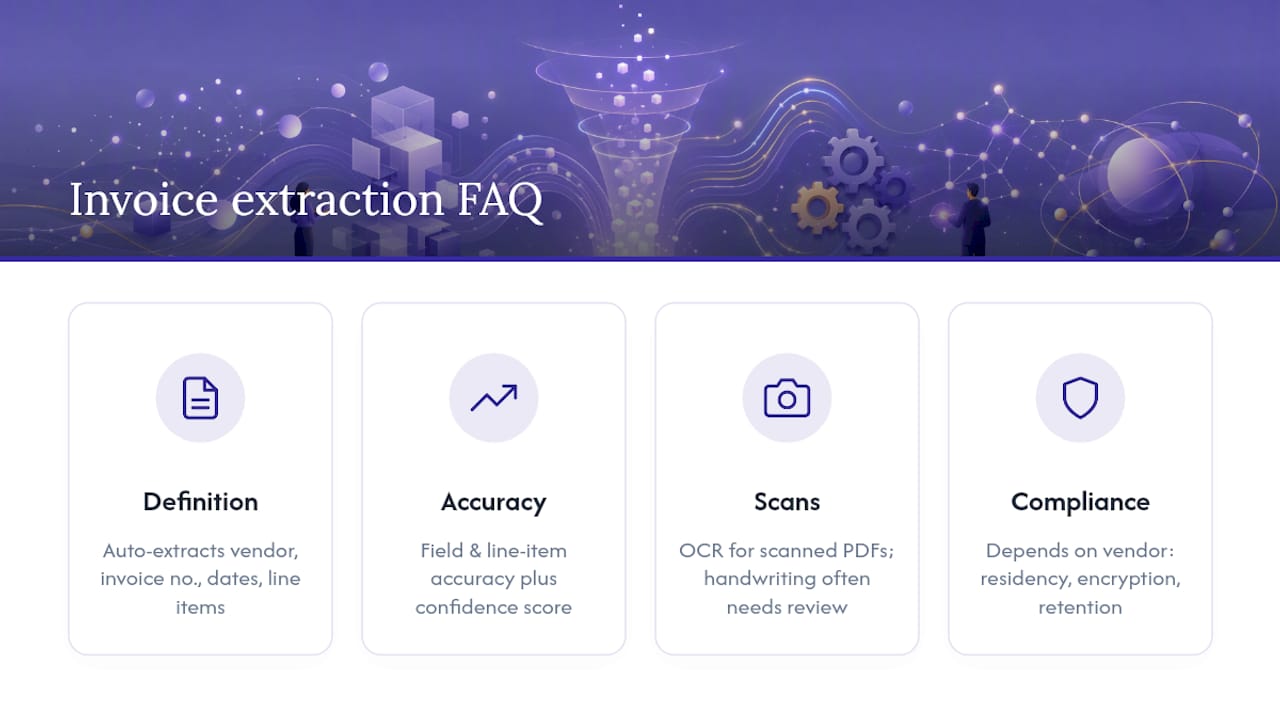
What is invoice data extraction? Invoice data extraction is the automated process of pulling structured fields, like vendor name, invoice number, dates, and line items, from PDF, scanned, or photographed invoices, turning unstructured documents into data a computer system can validate and post.
How accurate is AI invoice extraction? Accuracy varies by vendor and document quality, but the more useful measure is field-level and line-item accuracy combined with a confidence score, which tells you exactly which fields are reliable enough to post automatically versus which need human review.
Can invoice data extraction handle scanned or handwritten invoices? Scanned invoices are handled through OCR, though this introduces more recognition risk than native PDFs with embedded text. Handwritten notes or stamps remain one of the harder challenges and often trigger a human review flag rather than fully automated processing.
What file formats does invoice extraction software support? Most platforms support native PDFs, scanned PDFs, and common image formats like JPEG, PNG, and TIFF, including multi-page batches. Output typically comes as Excel, CSV, or structured JSON depending on your downstream system.
Is invoice data extraction GDPR compliant? Compliance depends on the specific vendor’s data handling, not the technology itself. Confirm data residency, encryption practices, retention policies, and certifications like SOC 2 or ISO 27001 before assuming any tool meets your obligations under UK GDPR.
Should I build an in-house extraction tool or use a managed platform? Open-source tools like invoice2data work well for low budgets with stable supplier layouts, but they require ongoing template maintenance. A managed platform typically costs more upfront but includes connectors, validation, and support that would otherwise take significant engineering time to build and maintain.
Sources
- What Is Invoice Data Capture – and Why It’s Essential for Your Business
- Invoice Data Extraction API: Scanned PDF to JSON | InvoiceXML
- invoice-x/invoice2data
- PDF data extraction AI architecture