


Line item extraction automatically pulls each row from an invoice or receipt — description, quantity, unit price, tax rate, and line total — into structured bookkeeping fields. If your team processes more than 50 invoices a month, start a 4-week pilot on your most frequent supplier invoices now.
Immediate benefits you can expect:
- Fewer manual keystrokes per invoice, reducing data-entry errors at the source
- Faster reconciliation because line-level data maps directly to your chart of accounts
- Clearer cost visibility by supplier, product category, or cost center without manual tagging
Pro Tip: Pick three to five suppliers with consistent, structured invoice layouts for your pilot. Structured invoices give the extraction engine clearer signals and can lead to faster accuracy improvements.
Key Takeaways
Automated line item extraction delivers the fastest ROI when piloted on high-volume, structured supplier invoices with a defined review process and measurable baselines from day one.
| Point | Details |
|---|---|
| What extraction captures | Description, quantity, unit price, tax rate, tax amount, and line total — plus SKU, discount, and GL suggestion. |
| When to pilot | Start with 3–5 high-volume suppliers with consistent invoice layouts for a 4-week pilot. |
| UK VAT requirement | Retain original digital files and an audit trail of manual edits to satisfy HMRC MTD recordkeeping rules. |
| ROI metrics to track | Auto-post rate, manual hours saved, reconciliation time, and cost per processed page vs. manual cost. |
| Zenith-books next step | Free trial includes supplier setup, rule tuning, and Drive integration — start at zenith-books.com/solutions/invoices-to-drive. |
Table of Contents
- What fields does line item extraction actually capture?
- Which document types work, and where does quality become a problem?
- How the processing pipeline works: OCR, ML, and business rules
- How to enable and configure line item extraction at every level
- Common accuracy problems and how to fix them
- UK VAT and recordkeeping notes for extracted line items
- Pilot checklist, realistic timelines, and simple ROI measures
- How Zenith-books handles line item extraction
- When line item extraction is worth enabling — a finance ops view
- Zenith-books cuts AP processing time from day one
- Sources
What fields does line item extraction actually capture?
Most systems extract a core set of line-level fields that map directly to accounts payable and VAT workflows. Understanding what comes out helps you plan GL mapping before you go live.
Core line-level fields:
- Item description (free text, usually the longest field)
- Quantity and unit of measure (each, kg, hour, box)
- Unit price and line net amount
- Tax rate (e.g., 20% standard, 5% reduced, 0% zero-rated)
- Tax amount per line
- Line total (gross)
Supplemental fields many systems also capture:
- SKU or item code (when printed on the invoice)
- Discount per line, either as a percentage or a fixed amount
- GL code suggestion, generated by ML classification
- Cost center or project code, when the supplier includes it
- Tax jurisdiction or VAT registration number (usually at header level, but linked to each line)
Grouping and splitting deserve a specific note. When a supplier bundles multiple deliveries into one invoice row, a good extraction engine either flags the row for manual splitting or uses supplier-specific rules to separate it. Footnote lines — freight charges, handling fees, surcharges — are often misclassified as body rows; configuring a rule to route them to a separate GL code saves time downstream. Extraction technique choice depends heavily on source format, and invoice documents with irregular table layouts are among the harder cases.
Pro Tip: Map your GL codes to expected item descriptions before you configure the pilot. Even a rough keyword-to-GL mapping cuts manual review volume in the first week.
Which document types work, and where does quality become a problem?
Supported formats that reliably work:
- Searchable PDFs (text layer already present — fastest and most accurate)
- Scanned PDFs at 300 DPI or higher
- Camera photos in JPEG or PNG, provided lighting is even and the page is flat
- Multi-page invoices, where each page is processed in sequence
- Receipt images from mobile capture apps
Quality issues that reduce accuracy:
- Low-resolution photos (below 150 DPI) where characters blur together
- Heavy or mixed handwriting over printed text
- Rotated pages or skewed scans where table rows run at an angle
- Unusual table layouts: borderless tables, variable column counts, or columns that merge mid-page
- Embedded images within a PDF that obscure the underlying text layer
The operational rule is simple: if a document fails an automated quality check, route it for manual review or re-scan rather than accepting a low-confidence extraction. Accepting a bad extraction and correcting it downstream costs more time than catching it at intake.
How the processing pipeline works: OCR, ML, and business rules
Data extraction retrieves and converts data from multiple source types — documents, databases, images — into structured formats. For invoice line items, the pipeline runs in five stages:
- Ingest: the file arrives via email, API, or direct upload.
- OCR / text-layer generation: the engine converts the image or scanned PDF into machine-readable text. For searchable PDFs, this step is skipped or accelerated.
- Table detection and per-row parsing: the system identifies where the line-item table starts and ends, then segments each row. Borderless tables and variable column counts are the most common source of parsing failures.
- ML classification and pattern matching: each field is labeled (description, quantity, unit price, etc.) using a trained model. Incremental and API-based extraction approaches are common in live accounting feeds where invoices arrive continuously rather than in batches.
- Rules, validation, and export: deterministic rules handle VAT rounding, currency formatting, and known supplier quirks. The validated output is exported via API, webhook, or direct accounting integration.
Combining OCR with downstream transformation and validation before loading into an accounting destination is standard practice in modern ETL/ELT pipelines. Credits or usage are often counted per page processed, but some platforms count per line or per API call — confirm this with your vendor before scaling.
How to enable and configure line item extraction at every level
Configuration happens at three levels, and getting the order right matters.
1. Company-level toggle Enable extraction globally in your account settings. This activates the feature for all incoming documents but does not yet apply any supplier-specific rules.
2. Supplier/customer-level defaults For each high-volume supplier, set a default template: expected column order, tax treatment, GL mapping, and confidence threshold. Supplier-level settings override the company default and are the most effective lever for accuracy.
3. Document-level override Any individual document can be processed with a one-off rule set. Use this for edge cases — a supplier who sent an unusually formatted invoice this month — without changing the supplier default.
Configuration checklist before go-live:
- Set VAT handling rules (standard rate, reduced rate, zero-rated, exempt)
- Map line types to GL codes (goods, services, freight, discounts)
- Configure splitting and grouping preferences for bundled rows
- Choose confidence thresholds: below a set score, route to manual review
- Define routing rules for low-confidence results (reviewer queue, email alert, or hold)
Recommended rollout steps:
- Run a sandbox test on 20–30 historical invoices from your pilot suppliers.
- Review extraction output against the originals; note field-level error patterns.
- Add supplier-specific templates for any supplier with more than two error types.
- Go live with the pilot supplier list; set a weekly review cadence for the first four weeks.
- Collect reviewer feedback on error types and adjust rules after week two.
Cloud-based extraction tools remove the need to build custom extraction scripts, which makes this kind of pilot feasible in days rather than months. Zenith-books’s automated invoice filing to Google Drive fits directly into this workflow, handling ingestion and filing alongside extraction.
Pro Tip: Set your confidence threshold conservatively at first (for example, a high threshold). Early manual review helps catch edge cases that could otherwise corrupt your GL data.
Common accuracy problems and how to fix them
Extraction failures often stem from common root causes. Diagnose issues before reconfiguring.

| Problem | Likely cause | Fix |
|---|---|---|
| Merged or split line rows | Borderless table, variable columns | Add supplier template; raise table-detection sensitivity |
| Wrong decimal separator | Locale mismatch (comma vs. period) | Set locale in supplier config |
| Tax rate misidentified | Multiple rates on one invoice | Add deterministic rule per supplier VAT profile |
| Discount at header, not line | Supplier applies discount globally | Map header discount field; split manually or via rule |
| Rotated page fails parsing | Scan orientation | Enable auto-rotation in ingestion settings |
How to measure and track accuracy:
- Establish a baseline: manually check a sample of 50 invoices before enabling extraction and record field-level error rate and time per invoice.
- After go-live, track weekly error rate by field type (description, quantity, tax rate).
- Separate upstream fixes (ask the supplier to improve their PDF quality) from downstream rules fixes (add a supplier template or deterministic rule).
Combining deterministic rules with ML reduces false positives. Supplier templates plus confidence thresholds lower manual-review volume faster than either approach alone.
UK VAT and recordkeeping notes for extracted line items
For UK VAT purposes, the fields that matter most are tax rate, tax amount, net line value, gross line value, and the supplier’s VAT registration number. All of these should appear in your extracted output and be retained in a form that satisfies HMRC’s digital recordkeeping requirements under Making Tax Digital (MTD).
Practical recordkeeping rules:
- Retain the original digital file (searchable PDF preferred) alongside the extracted data.
- Keep an audit trail of any manual edits to extracted lines — HMRC may ask to see corrections during a VAT inspection.
- For multi-rate invoices (e.g., a supplier billing both standard-rated and zero-rated goods on one document), verify that each line carries the correct rate before posting.
- Supplier credit notes require the same line-level extraction and review as invoices; a credit posted at the wrong rate affects your VAT return directly.
When a supplier applies a split tax treatment — part of a line is taxable, part is exempt — manual review is mandatory. No extraction engine handles this reliably without a supplier-specific rule, and the risk of a VAT error is too high to accept an automated result without checking.
Treat extracted line items as suggestions that require a review flow. Keep an audit trail of edits to satisfy VAT and audit requirements.
Pilot checklist, realistic timelines, and simple ROI measures
Pilot steps:
- Select 3–5 suppliers with high invoice volume and consistent layouts.
- Set up extraction rules and GL mapping for each supplier.
- Define review SLAs: who reviews flagged documents and within what timeframe.
- Measure baseline: record manual-entry hours per week and cost per processed invoice.
- Run the 4-week pilot; log errors and reviewer time weekly.
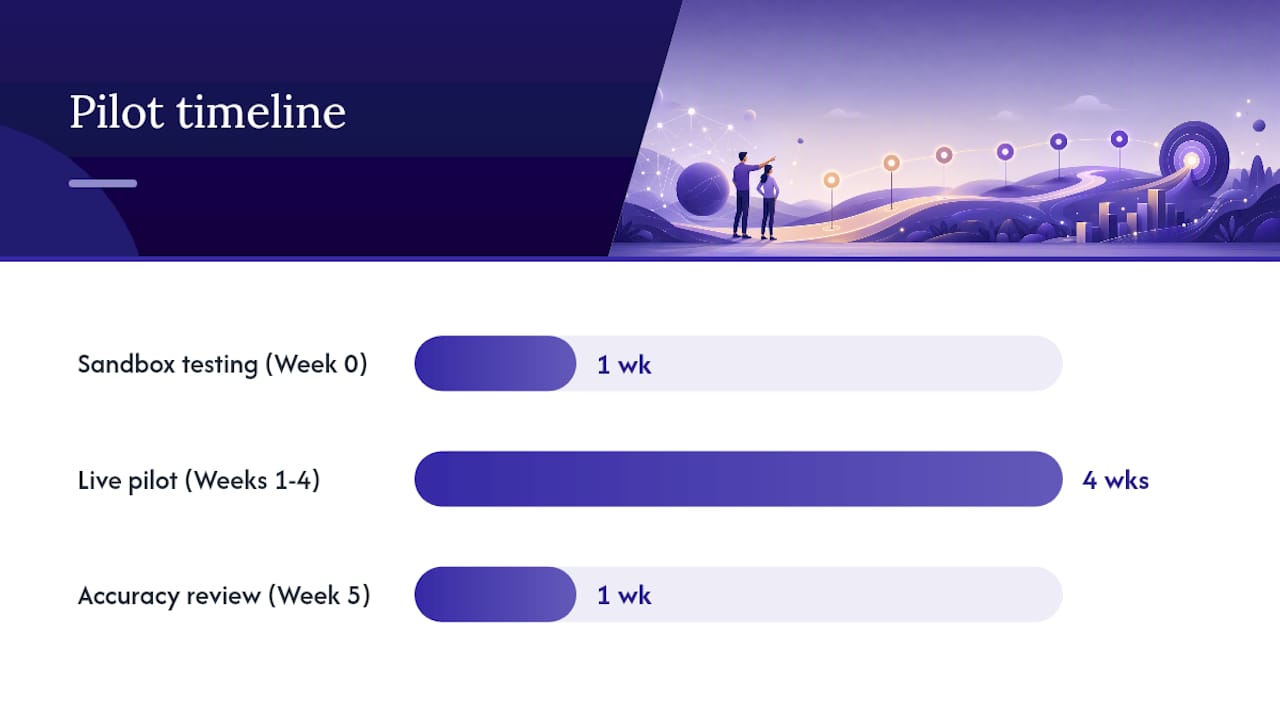
- At week five, review results and decide whether to scale, adjust rules, or extend the pilot.
Timeline:
- Week 0: sandbox testing, supplier template setup, baseline measurement
- Weeks 1–4: live pilot with review cadence
- Week 5: accuracy review, ROI calculation, scale decision
ROI metrics to track:
| Metric | How to measure |
|---|---|
| Manual hours saved | Baseline hours minus post-pilot hours per week |
| Auto-posted invoice rate | Invoices posted without manual edit / total invoices |
| Reconciliation time reduction | Time to close AP sub-ledger, before vs. after |
| Cost per processed page | Vendor fee per page vs. staff cost per page manually |
Testing on a representative sample and measuring pre/post error rates and time-per-invoice is the standard approach for calculating ROI on extraction pilots. Start small, measure precisely, and scale what works.
How Zenith-books handles line item extraction
Zenith-books covers the full extraction-to-filing workflow without requiring custom scripts or third-party ETL tools.
Core capabilities:
- AI-powered invoice extraction from email, with automatic naming and filing to Google Drive
- Editable line-item review UI so your team can correct and approve extracted fields before posting
- ML-based GL categorization that learns from your corrections over time
- Bank-to-Sheets sync for live cash-flow matching after invoices are posted
- eSlog accounting export for standardized handoff to your accounting system
Clients including Združenje YES and BAM Chocolate report reduced month-end close times and zero manual entry across transactions. The ML expense categorization layer means GL mapping improves automatically as the system processes more of your suppliers’ invoices.
Pro Tip: Use Zenith-books’s editable review UI during your pilot’s first two weeks to build a correction log. That log becomes the training signal that sharpens GL categorization for the rest of the pilot.
When line item extraction is worth enabling — a finance ops view
Line item extraction pays off fastest when your AP team processes structured, recurring invoices from a consistent supplier base. If your top ten suppliers send the same format every month, you can configure supplier templates once and let the engine run with minimal oversight after week two.
Hold off on a full rollout if most of your documents are handwritten receipts, infrequent one-off supplier invoices, or low-quality scans. The configuration cost outweighs the benefit when volume is low or document quality is inconsistent.
Organizational readiness matters as much as the technology. You need a named AP process owner, a defined review SLA, and at least one person willing to tune rules in the first two weeks. Without that, errors accumulate and the pilot stalls.
After about a month, success includes a substantial proportion of invoices auto-posted, reduced reviewer time, and no VAT-rate errors in the sample. Over a longer time frame, aim for a higher auto-post rate and measurable reduction in AP close time.
Zenith-books cuts AP processing time from day one

Zenith-books gives finance teams a faster path from invoice receipt to posted GL entry. The free trial includes sample-set setup for your pilot suppliers, rule tuning, and integration to Google Drive or your accounting system. Pay-as-you-go pricing means you only pay for what you process during the pilot, with no long-term commitment until you have seen the ROI numbers yourself.
The pilot reporting dashboard tracks auto-post rate, manual-review volume, and time saved per week so you can present a clear business case at week five. For teams ready to move beyond the pilot, the full solutions suite covers bank sync, invoice issuing, and payment QR codes alongside extraction.
Start your pilot at Zenith-books invoices to Drive or contact the team to schedule a setup call.
Sources
- Data Extraction: Techniques, Tools, and Best Practices | Teradata
- Data extraction techniques
- What Is Data Extraction? Data Extraction Tools & Techniques | Stitch
This article is general information, not a substitute for advice from a qualified financial advisor. Consult a qualified financial professional about your own circumstances before acting on anything here.